Scores
Every archer keeps their own rounds in Toxo: training and competition, end by end, with progress over time. Find them on Home, in More > My scores, or on your child's card.
Starting a round
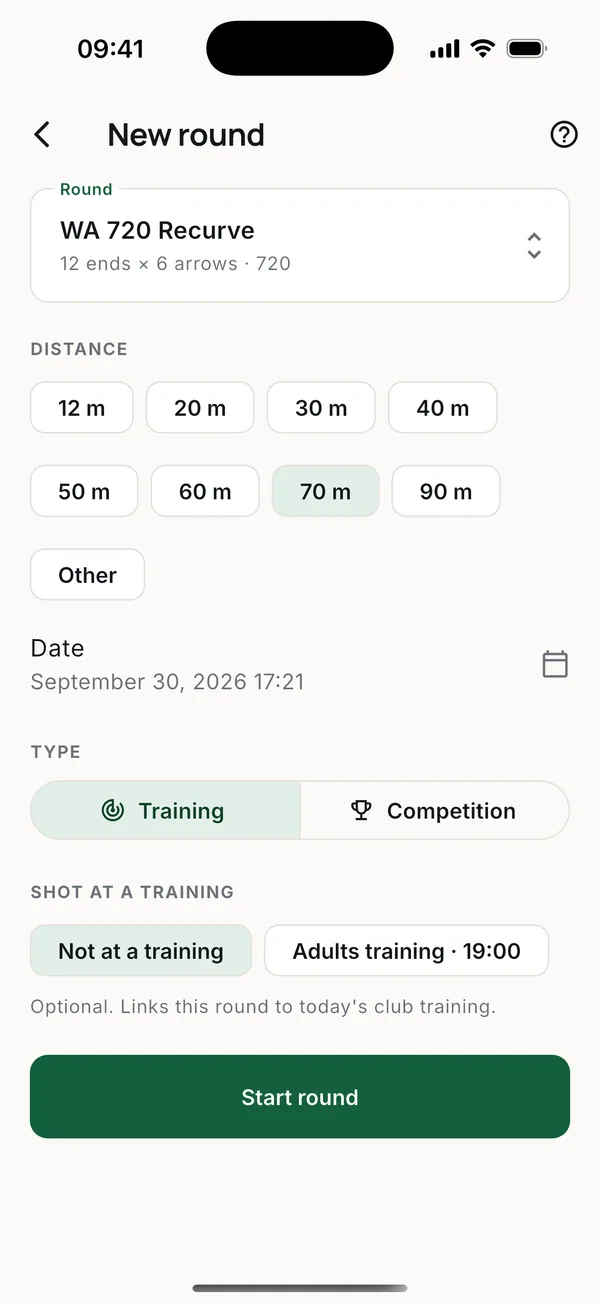
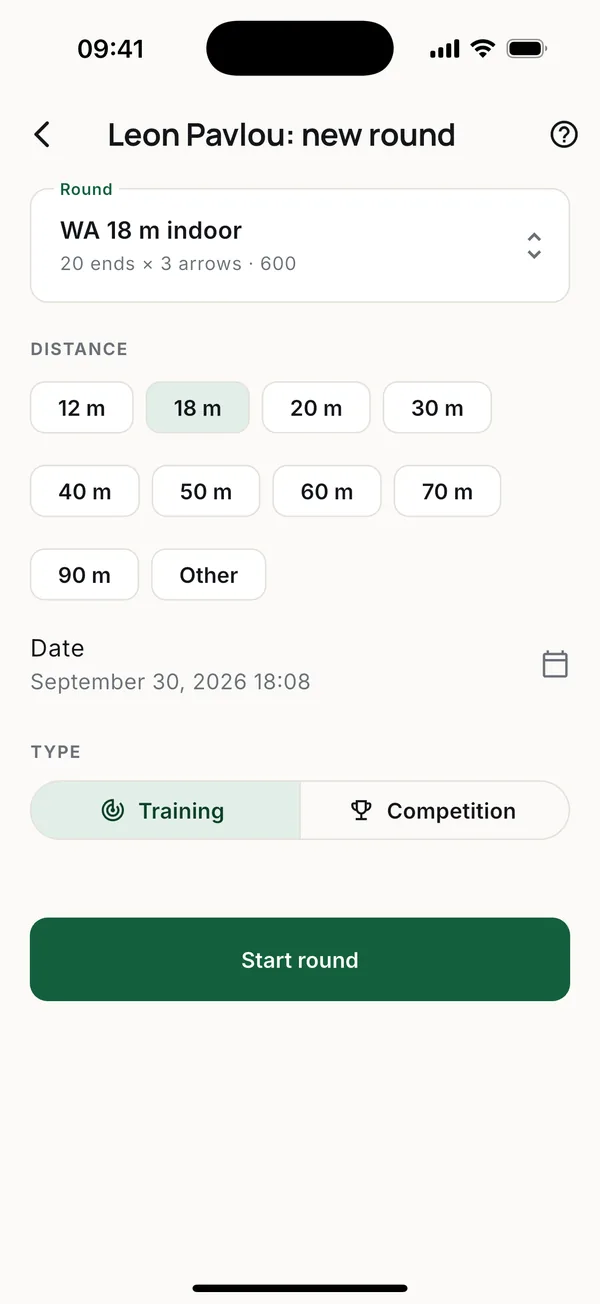
Tap New round. It opens on the round and distance you shot most often in your last ten rounds, so one competition doesn't change your usual training.
- Rounds: WA 720 Recurve (70 m), Compound (50 m) or Barebow (50 m), Knockout match, WA 1440 half, WA 18 m indoor, Vegas 300, 3D (IBO), or a Custom round with your own ends and arrows.
- Distance: 12 to 90 m, the round's own distance, or Other to type one. Juniors who shoot closer just pick their distance.
- Training or Competition. A round at a competition event is marked Competition by itself.
- Shot at a training. Link the round to today's club session.
Scoring
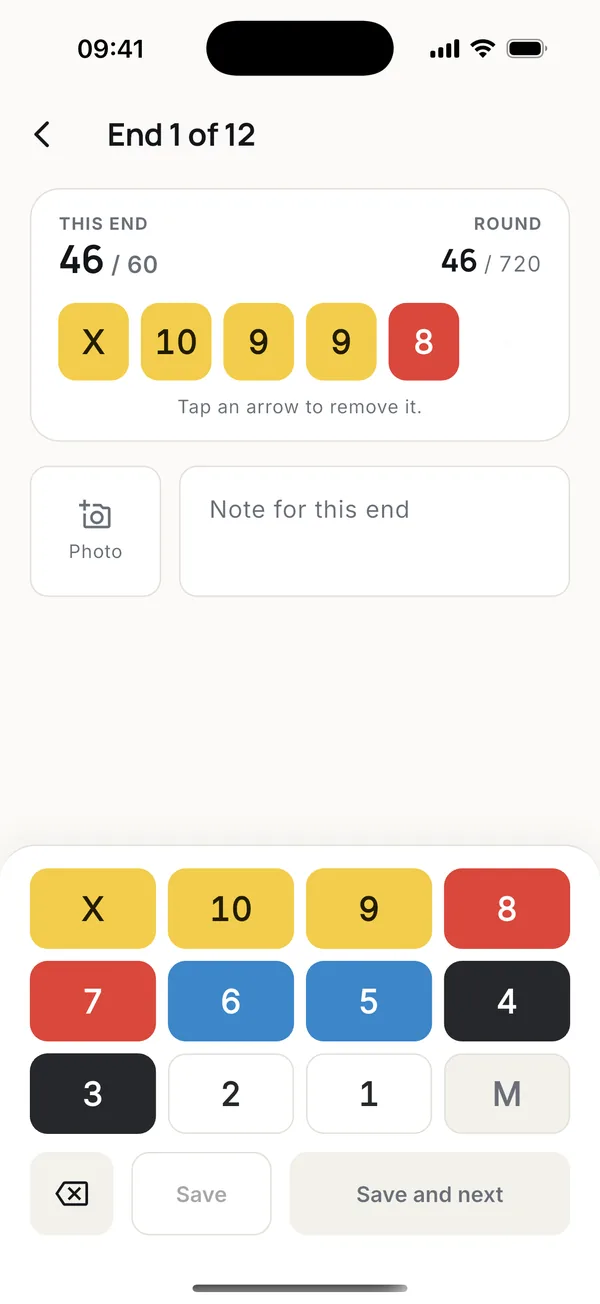
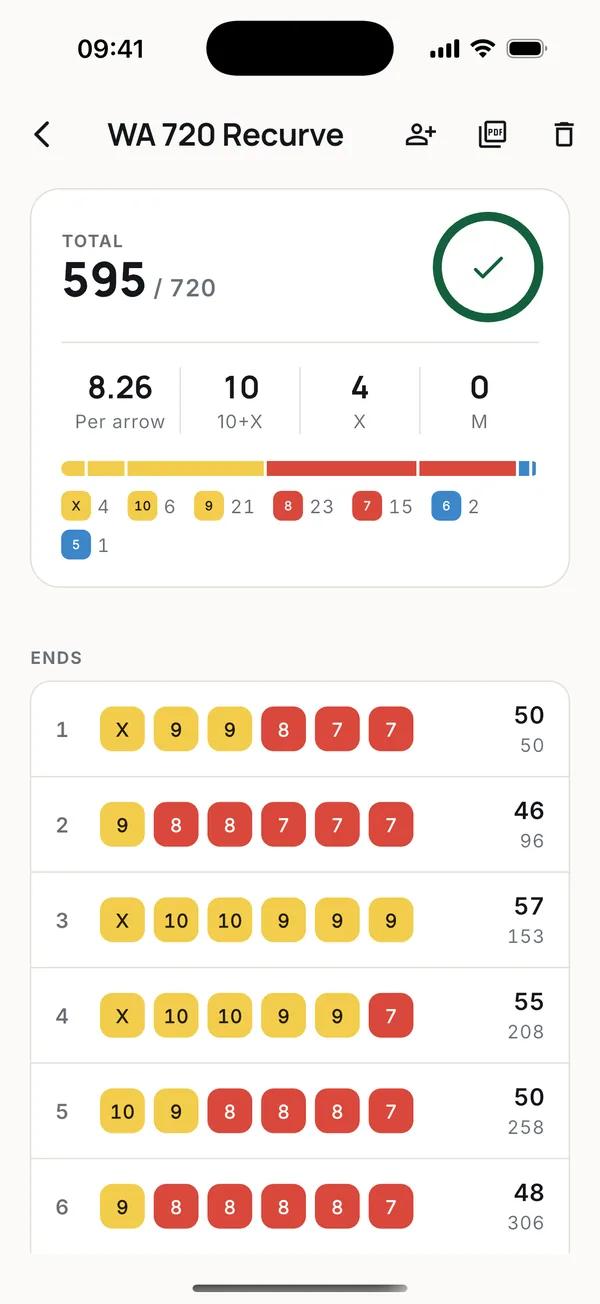
Score each end on the keypad and tap Save and next. Add a photo of the target and a note to any end. The round works without a signal and uploads when the phone is back online, even if the app was closed.
Open a finished round to see every end, or tap the PDF icon to export a scorecard.
Progress
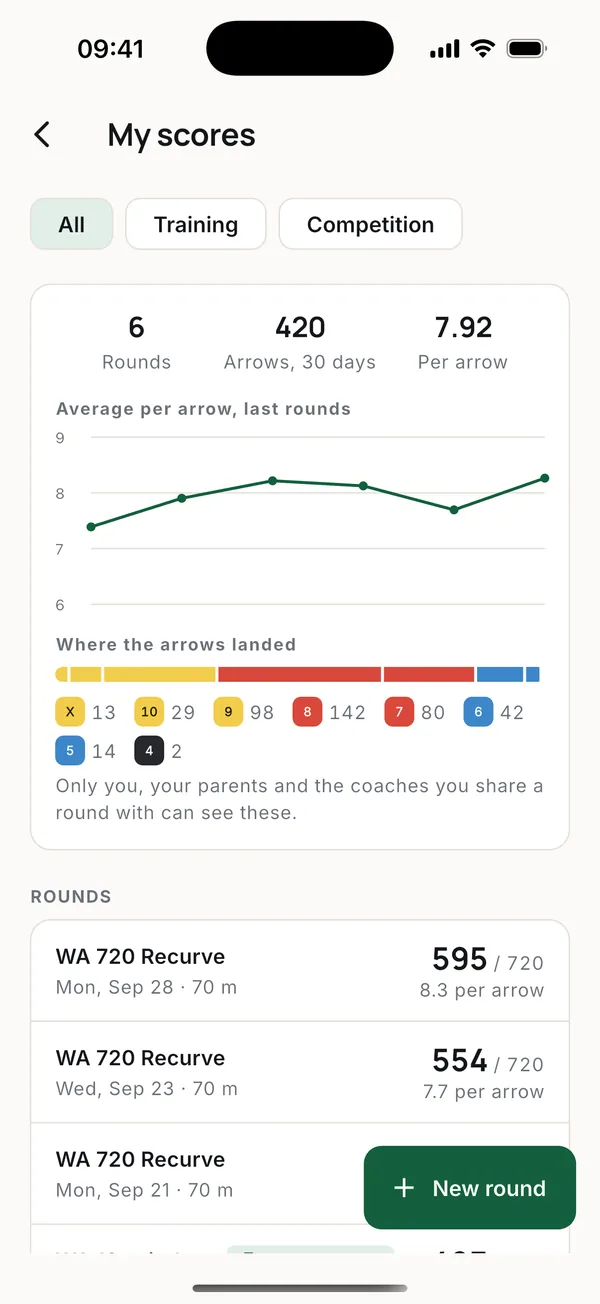
My scores shows your rounds, how your average per arrow changes from round to round, and where your arrows landed. Filter by Training or Competition.
Who sees your scores
Your results are private. You and your parents see them. A coach sees a round only when you show it to them.
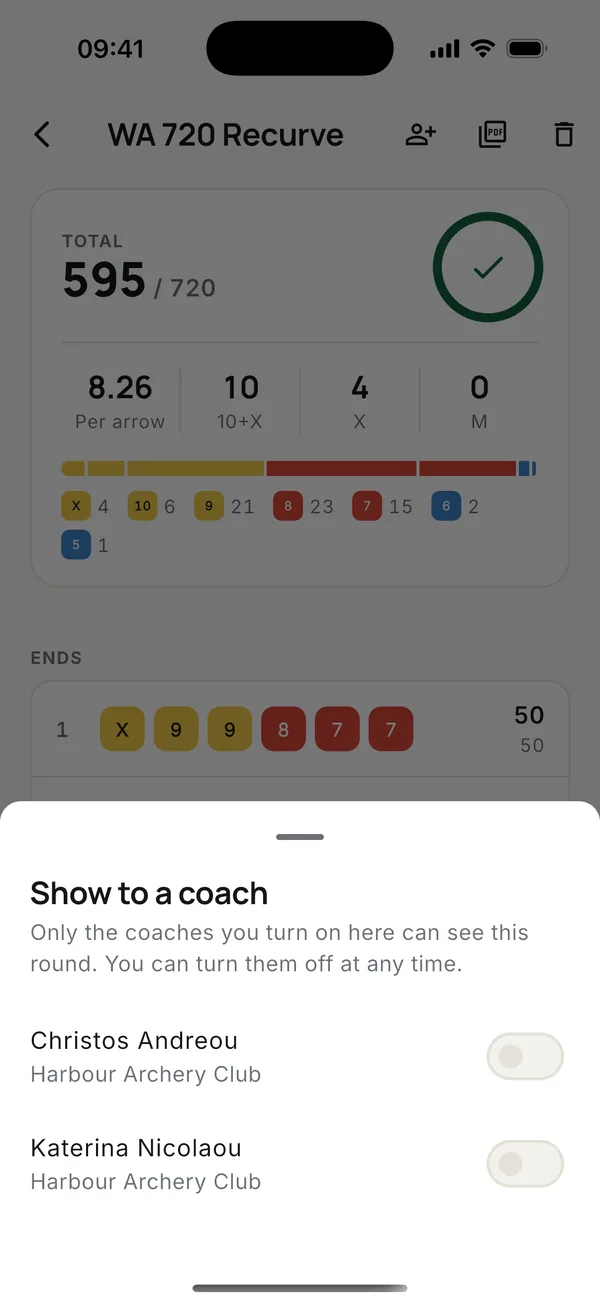
Open the round and tap the person icon at the top, then turn on the coaches who may see it. They get a notification.
A club can instead let its coaches and admins see every round (Club settings > Coaches see all results). If yours has, you are told on your scores screen.
Rounds entered by a coach
A coach can enter a round for you from a paper scorecard. It goes into your scores like any other.
More guides
Questions? Write to [email protected]