Running a club in Toxo
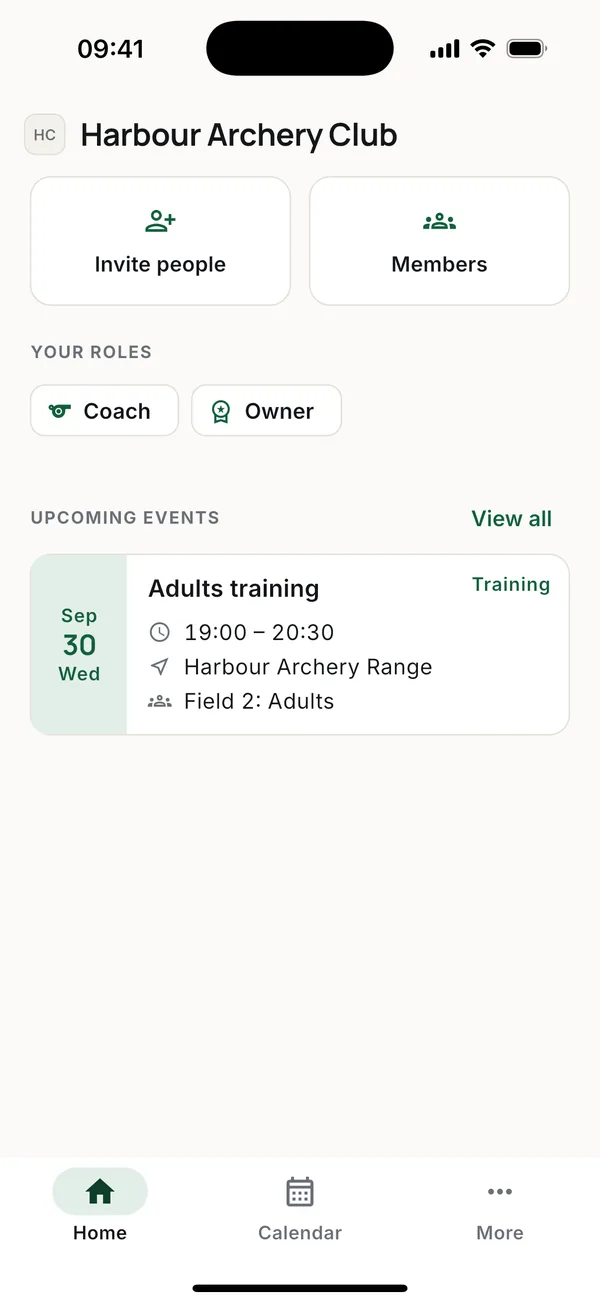
The owner sets the club up once. After that the coaches run the training side and the admins help run the club. This guide goes through the setup in the order most clubs do it.
1. Club settings
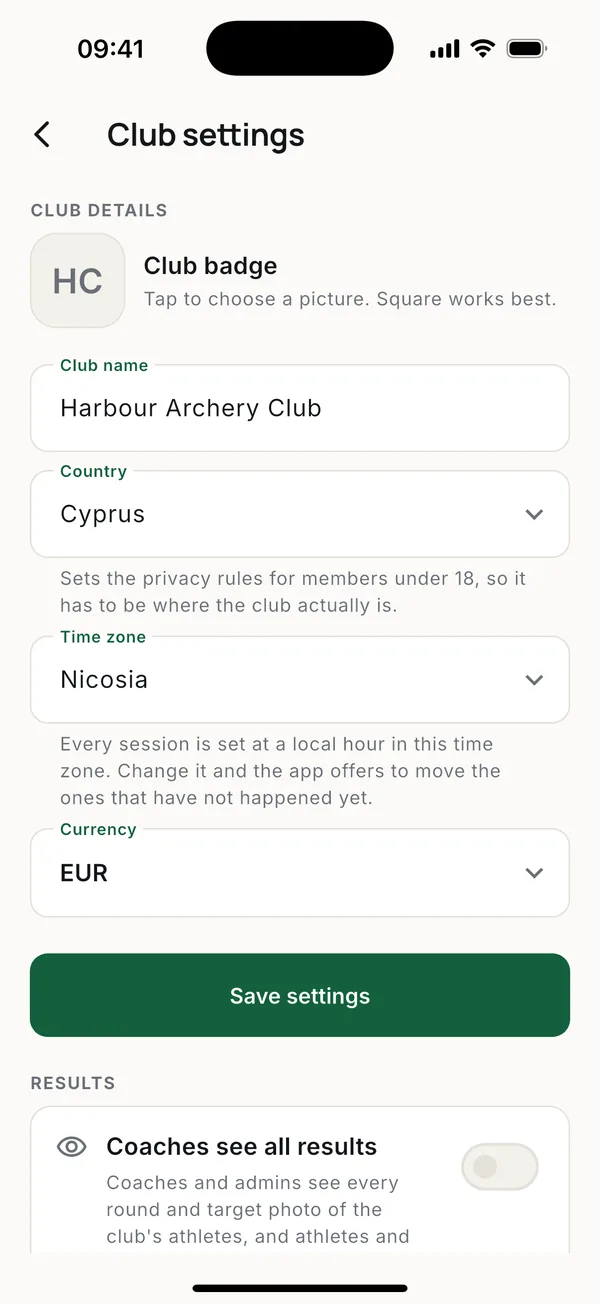
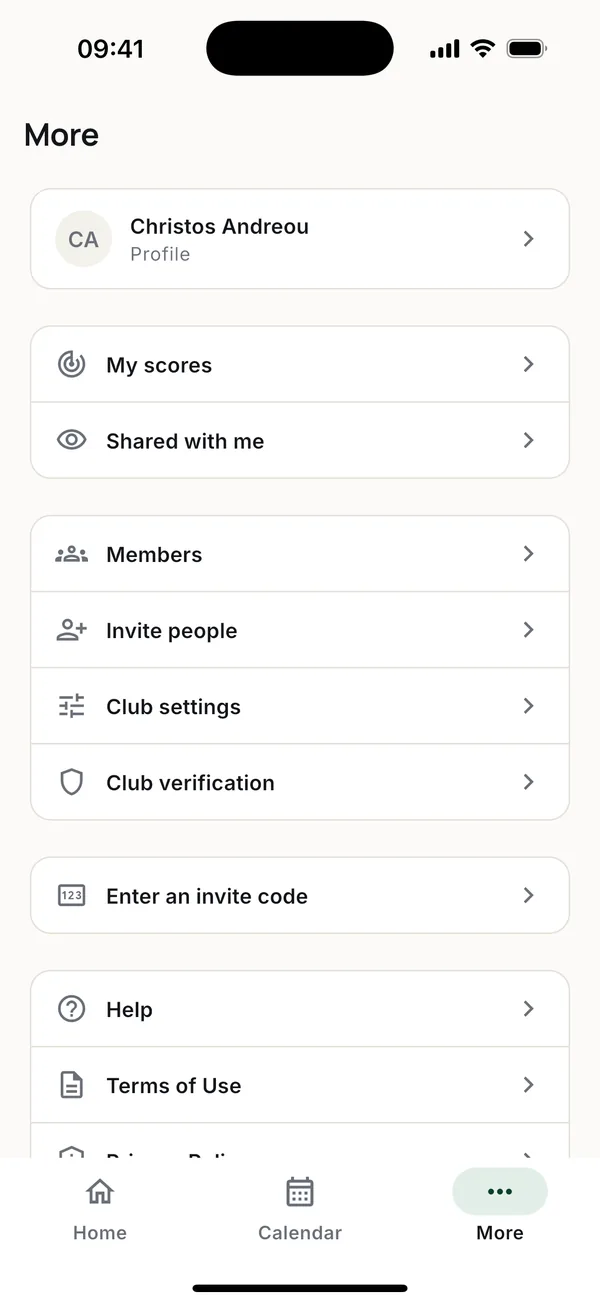
More > Club settings:
- Club details. Name, badge, country, time zone and currency. The country sets the privacy rules for members under 18, so it has to be where the club really is.
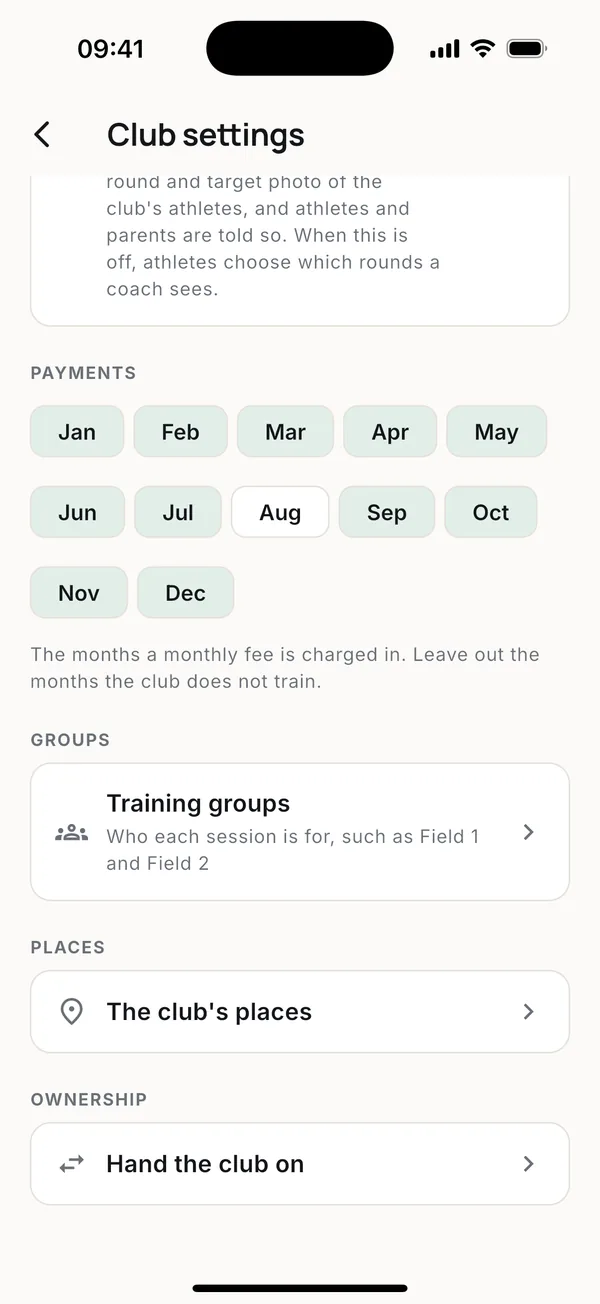
- Results. Coaches see all results lets coaches and admins see every round of the club's athletes. Athletes and parents are told. When it is off, athletes choose which rounds a coach sees.
- Payments. Untick the months the club doesn't train, and no monthly fee is charged in them.
- Groups and Places. Your training groups and the club's places, each with an address, a note and a pin on the map.
- Ownership. Hand the club on to another member.
2. Verification
Before a club can add children, we verify it. Ask for it in More > Club verification and follow its status there. Everything else works while it is pending.
3. Training groups
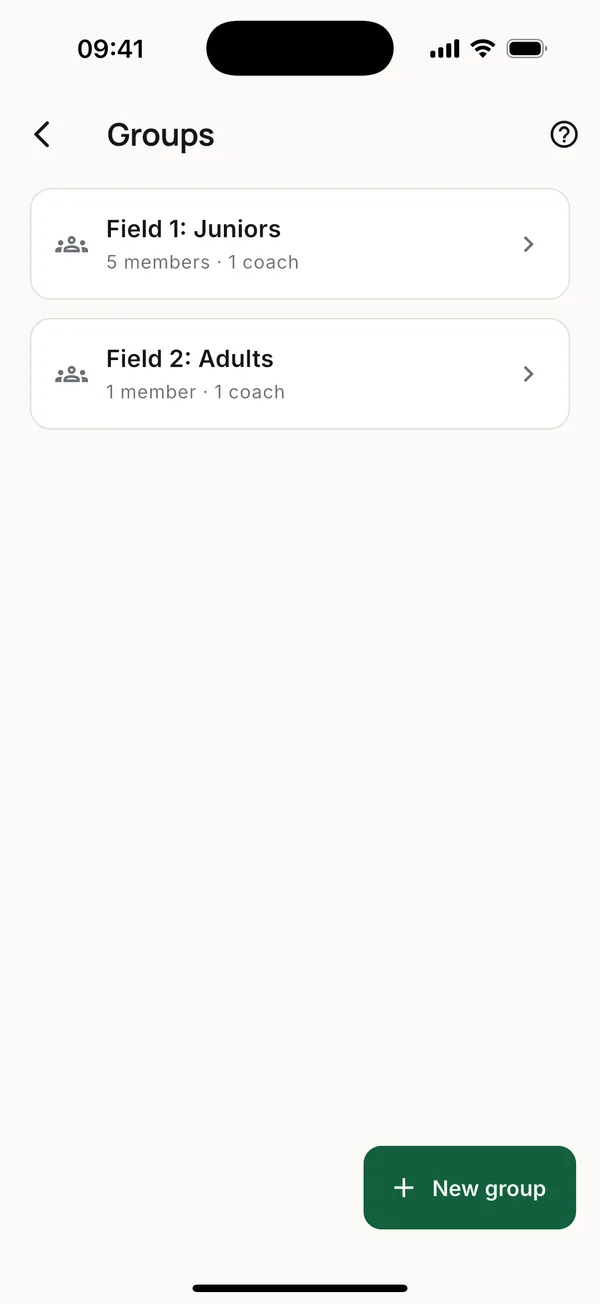
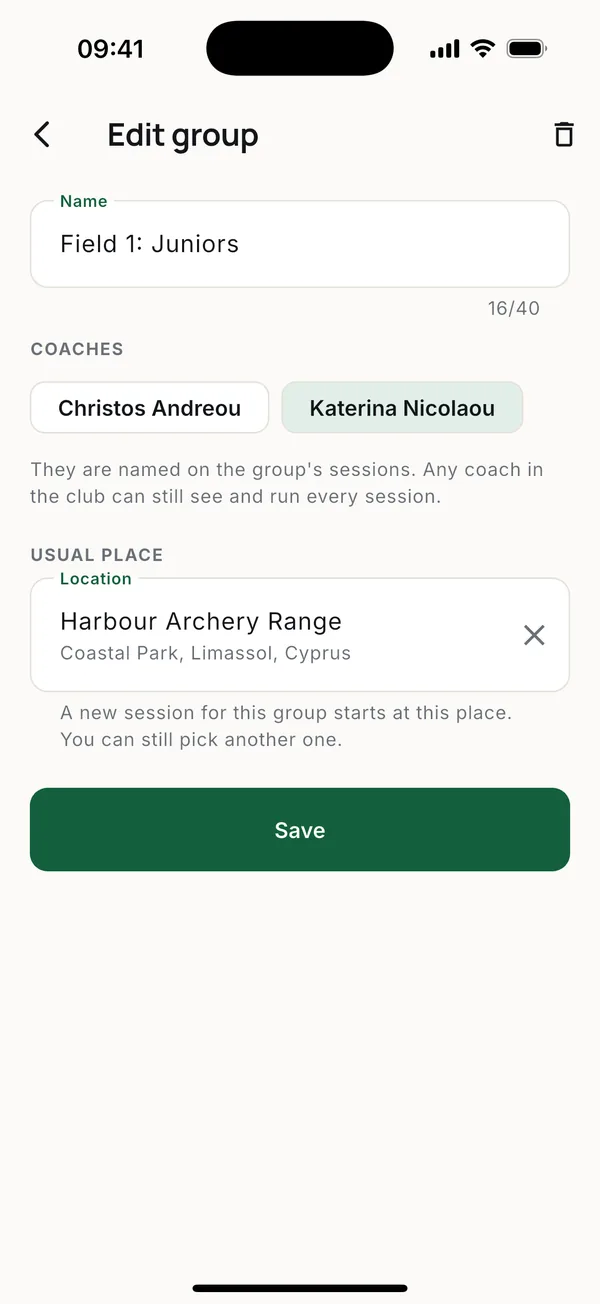
If the club trains as one, skip this. If it has groups such as Field 1 and Field 2, add them so each person sees only their own sessions. See Training groups.
4. Inviting people
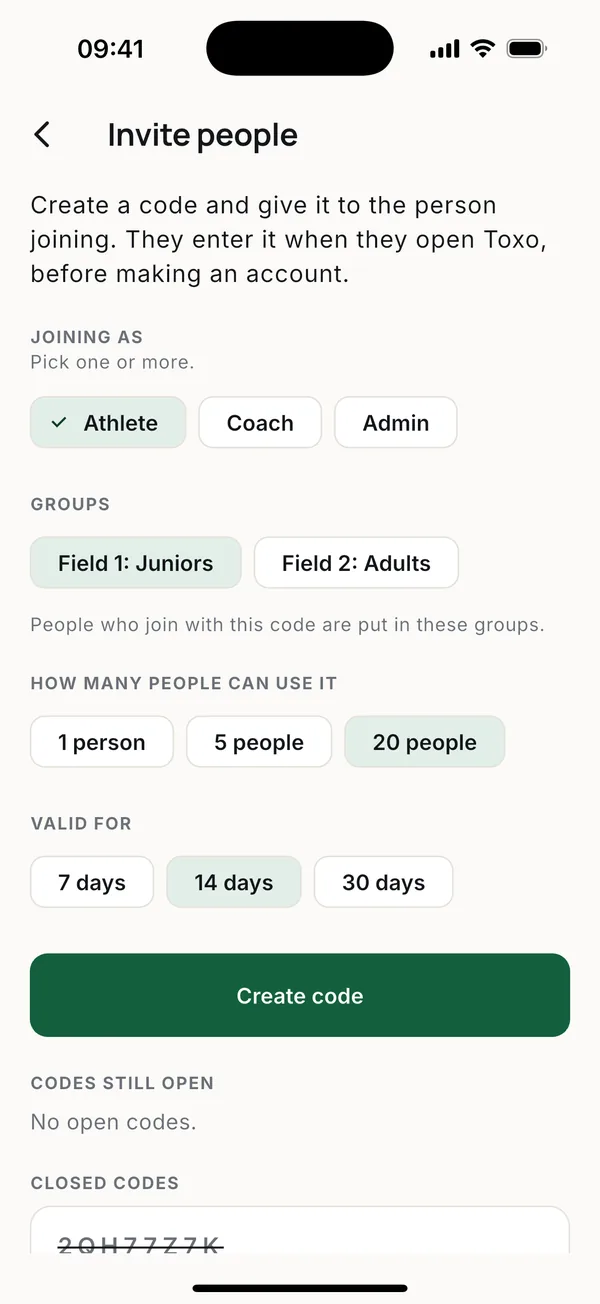
Invite people makes a code. Pick what the person joins as (athlete, coach, admin), which groups they go into, how many people can use it and for how long. Share the code any way you like. You can see who joined with each code and cancel it any time.
Children without their own account are added by name from Members, and each gets a parent code for their parent.
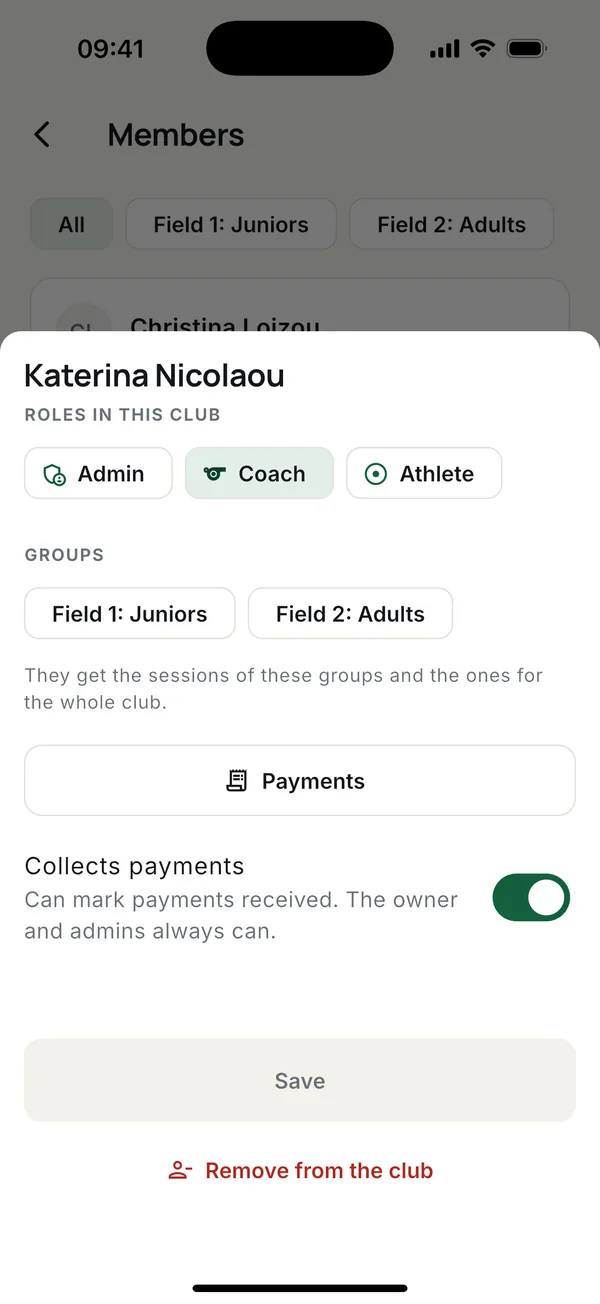
Roles. A person can have more than one: coach and athlete, for example. The owner and admins change roles and remove members; only the owner decides who the admins are.
5. Fees and payments
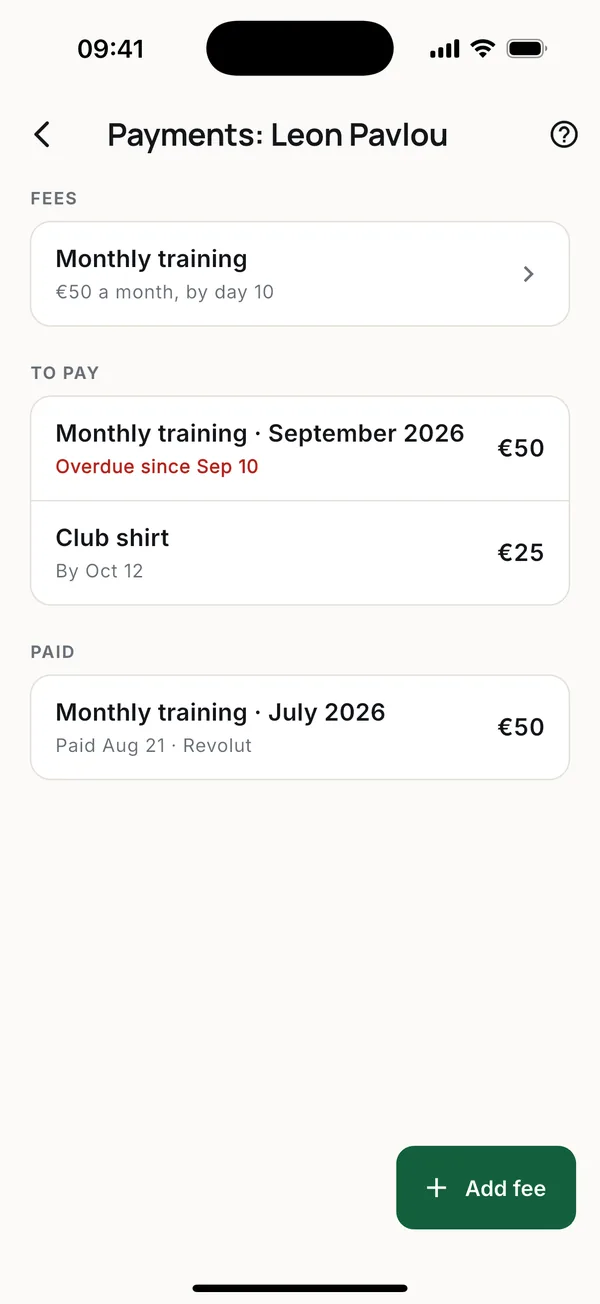
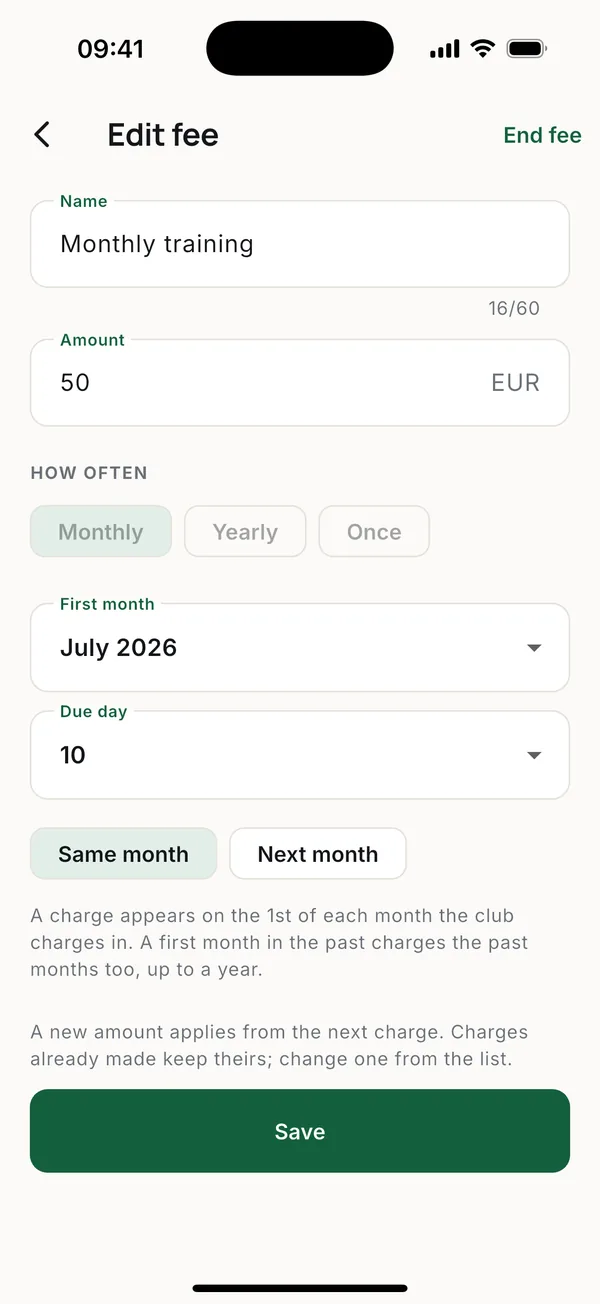
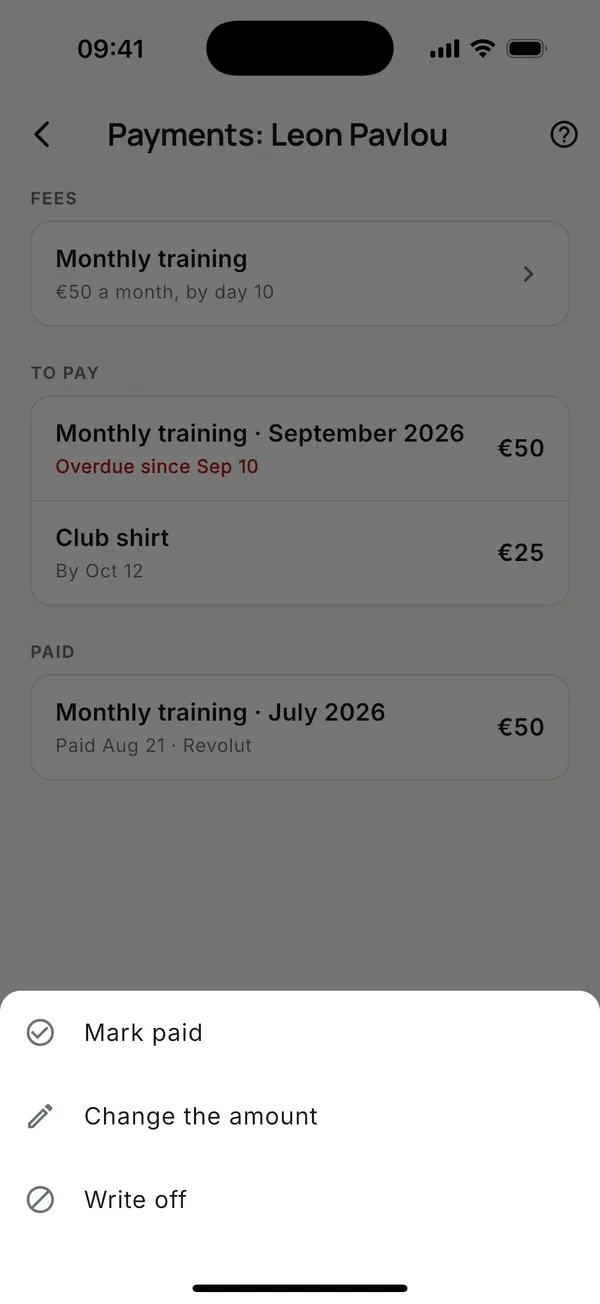
Open Members, pick the athlete, then Payments and Add fee. Toxo then creates each charge on its own. Turn on Collects payments for a coach who takes money at the range. See Payments.
Good to know
- The retention period for former members is 3 years. After that their details and attendance are removed; each session's totals stay the same.
- Members are recorded per season, so this year's list is kept apart from past years.
- The club is the data controller and CodeEnsis the processor. The Terms, Privacy Policy and Data Processing Agreement are also in the app.
- Questions or help setting up: [email protected].
More guides
Questions? Write to [email protected]