Member pages
Every member has a page with what the club needs to know about them: their status, federation code, contact details, health card and medical information, and notes the staff keep. Coaches, managers and the owner open it from More > Members. Members fill in their own details from More > Profile.
The page
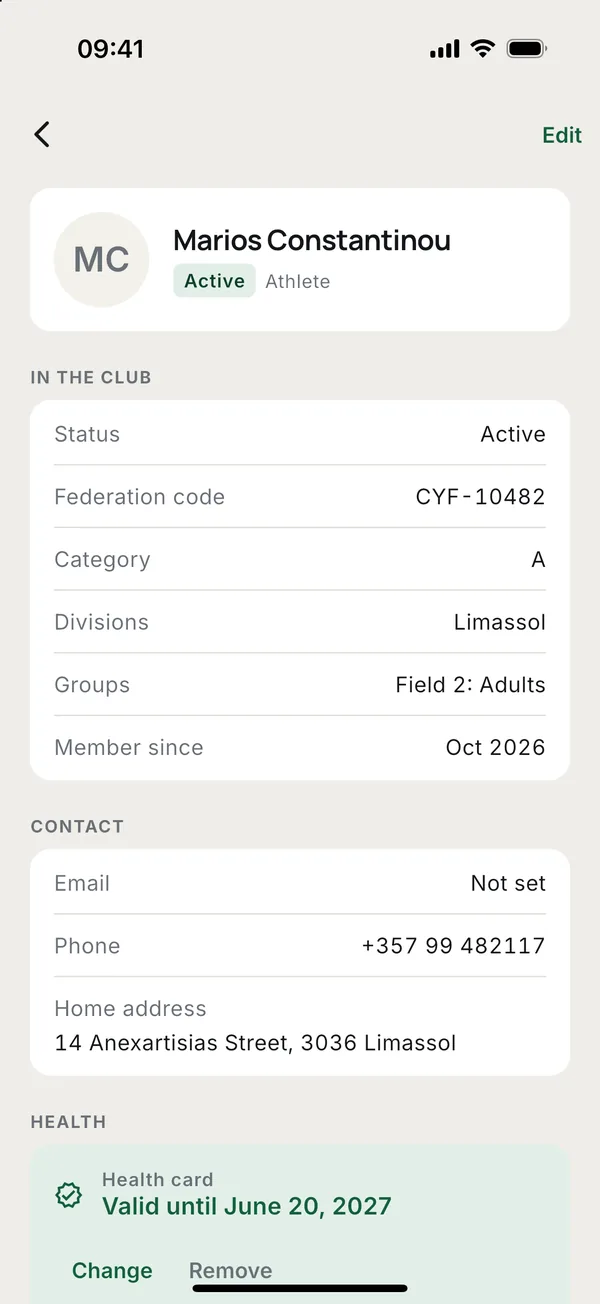
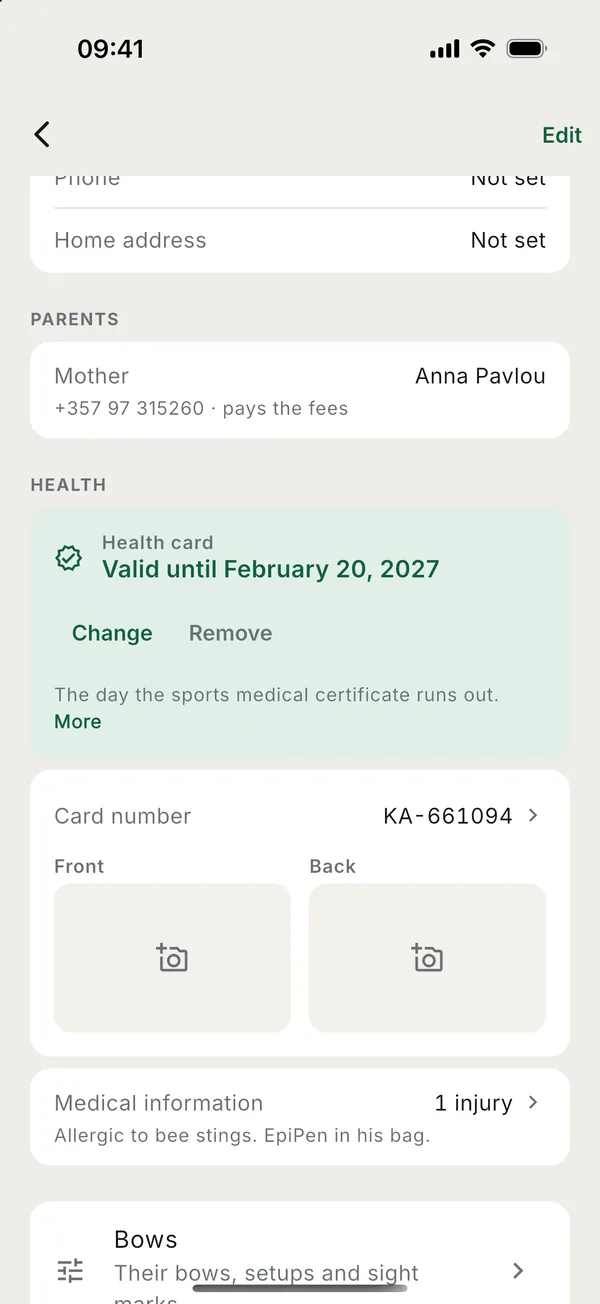
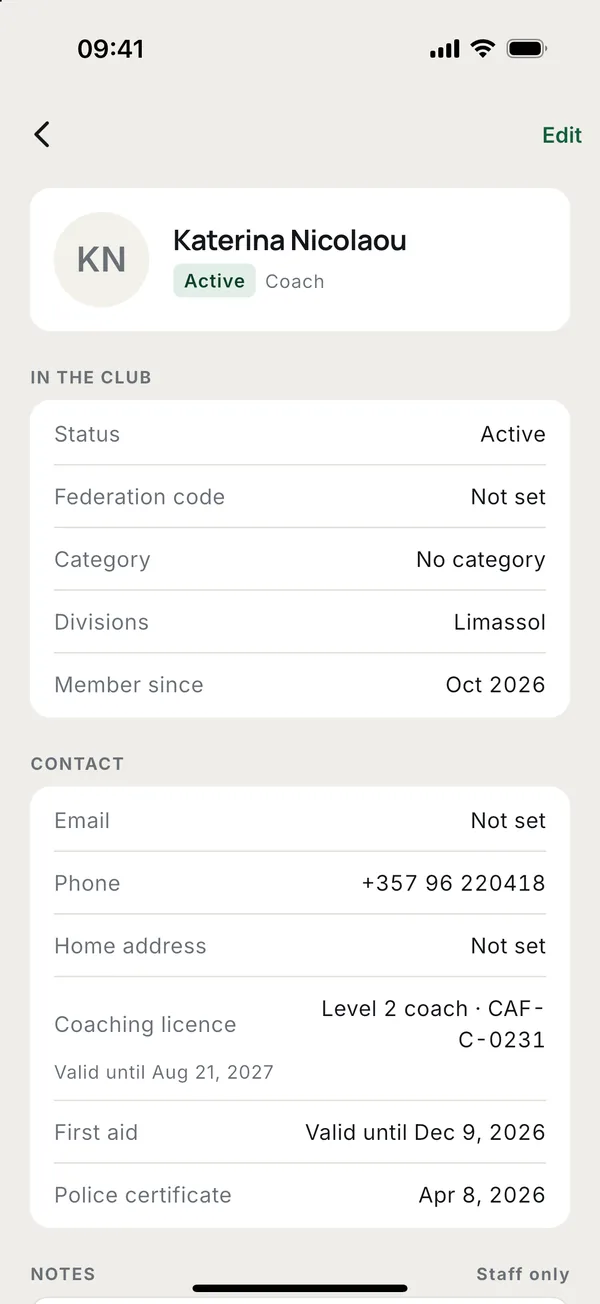
Tap a person in More > Members. The page shows, from the top:
- In the club. Status, Federation code, Category, Divisions, Groups and when they joined.
- Contact. Email, Phone and Home address.
- Parents. For a child: each parent, whether mother, father or guardian, their phone, and who pays the fees.
- Coaches. Their Coaching licence with its number and expiry, First aid and Police certificate.
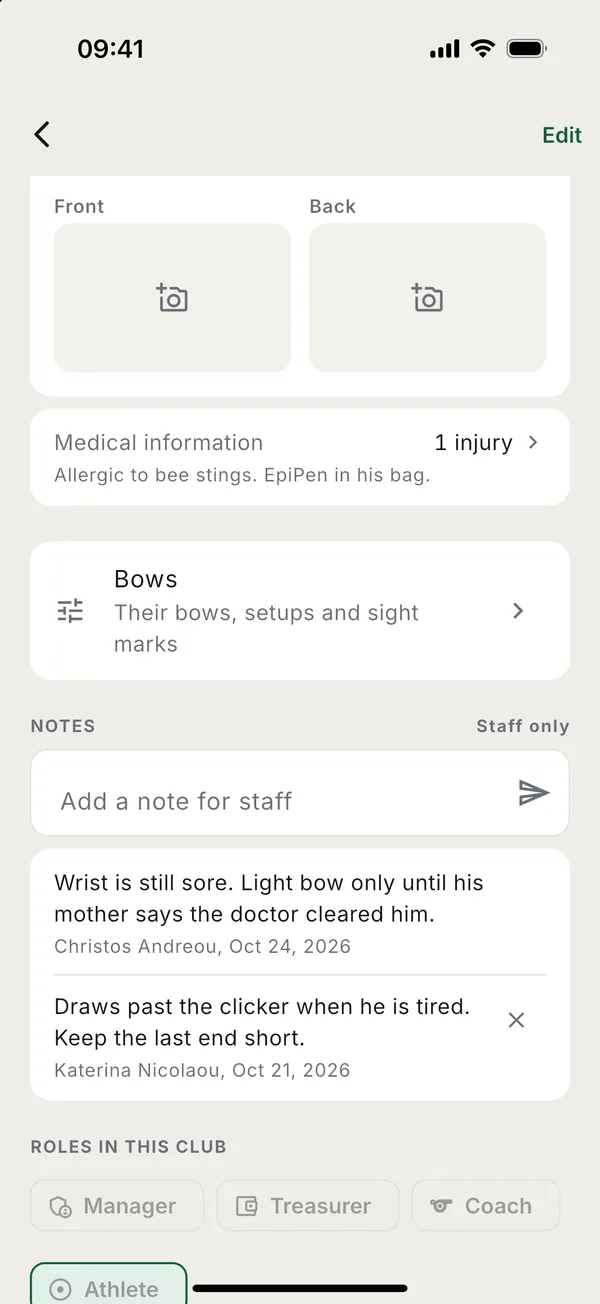
- Health. The Health card date, the Card number with a photo of each side, and Medical information.
- Notes for staff, Roles in this club, groups, Scores and Payments.
These details are seen by the person, their parents, and the club's coaches and managers. Other members and other families never see them.
Editing a member
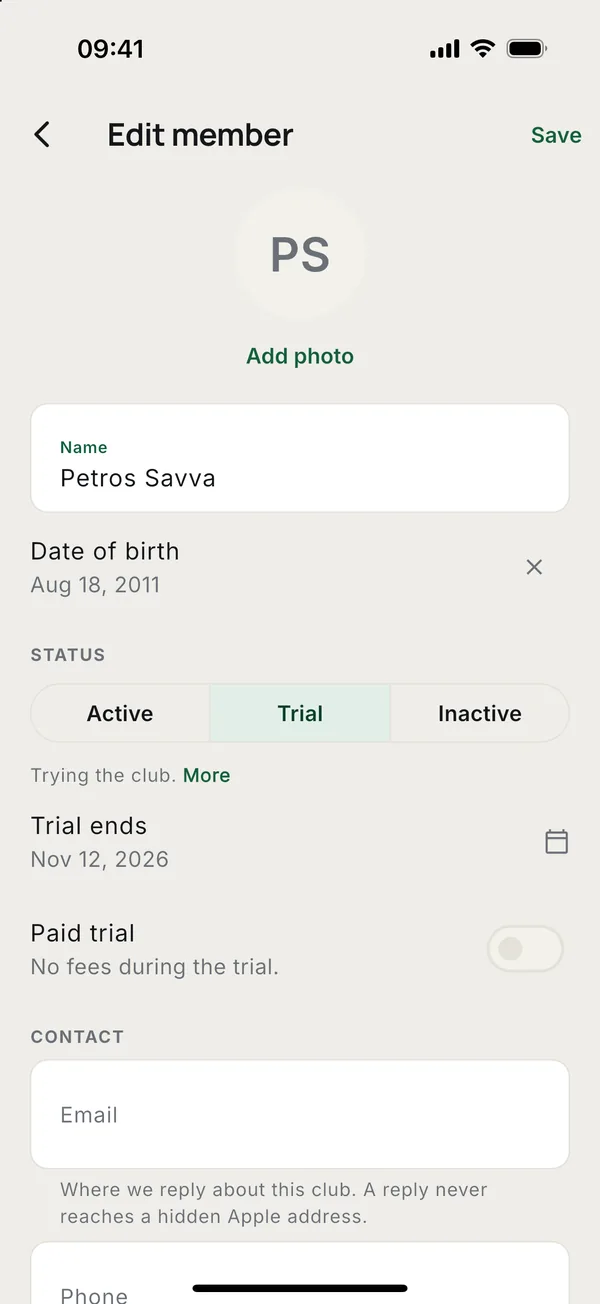
Tap Edit at the top of the page. Coaches, managers and the owner can change the name, date of birth, status, contact details and a coach's licence dates. Only the owner or a manager sets the Federation code: it is what the club sends to the federation, so one person keeps it right.
Members correct their own details in More > Profile > Your details: their photo, phone and address. A parent adds who they are to the child there, and turns on I pay the fees so the club knows who pays.
Status
Each member is Active, Trial or Inactive.
- Trial. Someone trying the club. Set Trial ends; on that day the coaches and managers get a reminder to decide. A trial is free unless you turn on Paid trial.
- Inactive. On a break. They still get the training schedule and club news, but no competitions and no new fees.
- Active. Everyone else.
Health and medical information
- Health card. The expiry date of the sports medical certificate. The member and their parents get a reminder 90, 30 and 7 days before it runs out, and on the day. Coaches get a list of the cards that have expired, expire soon or have no date.
- Card number and scans. The number, and a photo of the front and back.
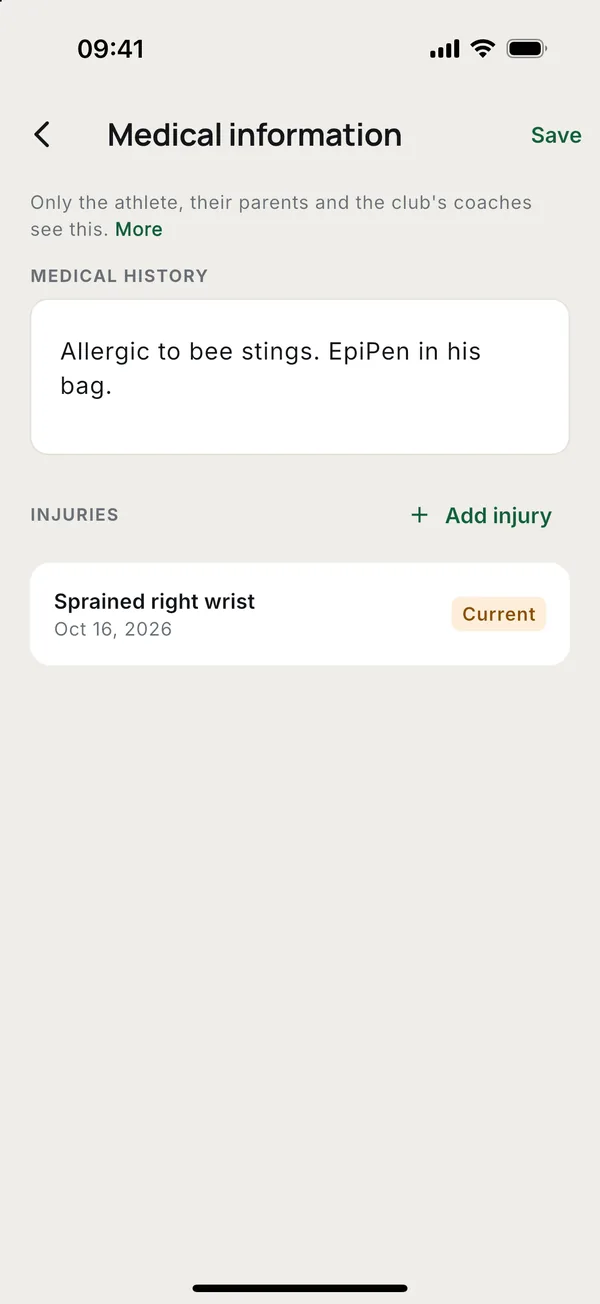
- Medical information. Medical history (conditions, allergies, medication) and Injuries, each marked Current or Recovered.
The card scans and the medical information are health data. The club keeps them only after the adult athlete, or a parent for a child, has agreed in the app. The first time they save any, Toxo asks them. A coach cannot agree for them: if nobody has agreed yet, the coach is told who has to. A parent does it on the child's page.
The athlete or a parent can withdraw at any time from Medical information with Withdraw agreement and delete. The medical history, injuries and scans are then deleted for every club. The card date stays.
Staff notes
Under Notes, coaches, managers and the owner write what the next coach should know: "Light bow only until the wrist heals". Type in Add a note for staff and send. Each note shows who wrote it and when.
The athlete and their parents never see the notes. A note is not edited: write a new one to correct it. Coaches remove their own notes; managers and the owner can remove any.
Photos
Tap Add photo at the top of Edit, or in Your details for your own. Everyone in the club sees members' photos in the lists.
For a child, a parent agrees first. Until then the club cannot add the child's photo, and the coach is told so.
Good to know
- Medical information and the health card belong to the person, not the club. An athlete in two clubs has one record that the coaches of both see.
- When someone deletes their account, their photo and card scans go with it.
More guides
Questions? Write to [email protected]