Toxo for parents
Your child's club uses Toxo for trainings, attendance, scores and fees. You answer for your child, and you only ever see your own children.
Getting in
The club gives you a parent code for your child. Open Toxo, tap I have an invite code, type it, then create your account. If you have two children in the club, each has their own code; enter the second one in More > Enter an invite code.
Why a code? Nobody can add themselves as a parent. The club confirms who a child's parents are, and the code is how it does that.
Home
Home shows your children and the next session.
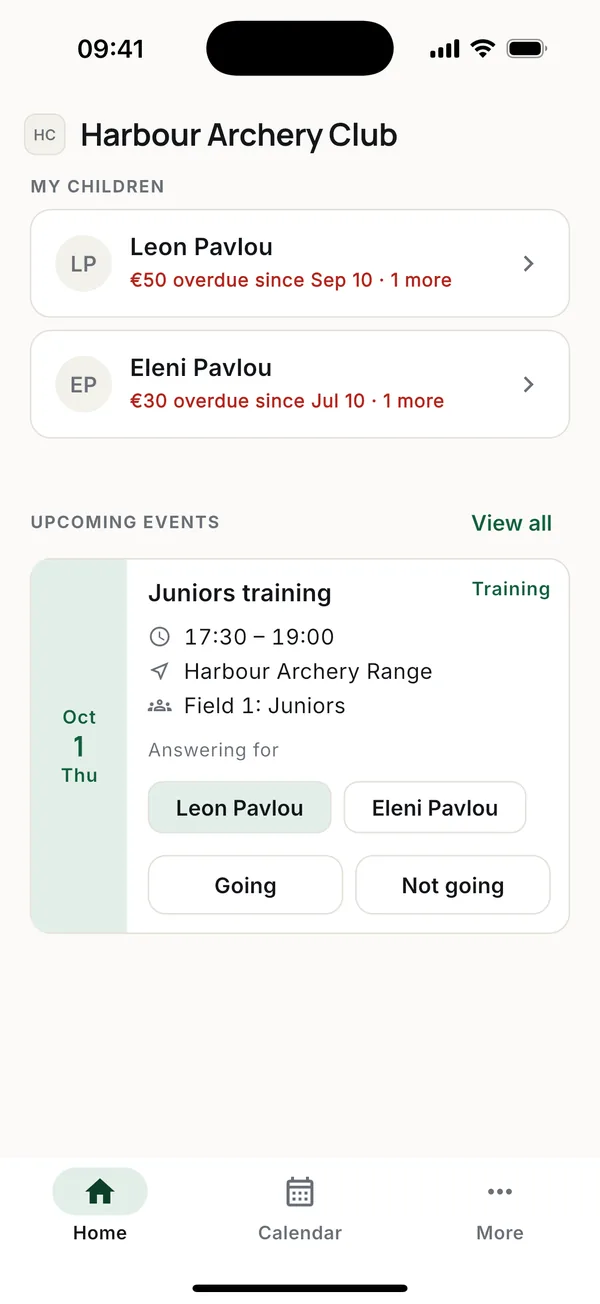
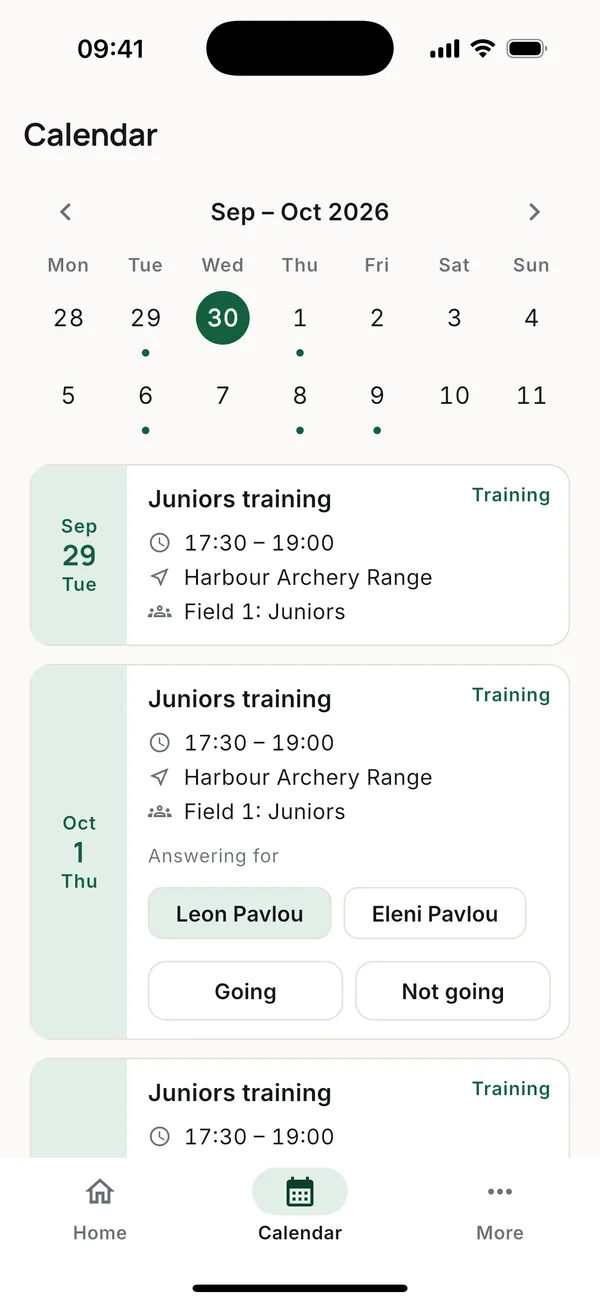
- Going / Not going. Pick the child under Answering for, then tap. Each child is answered separately.
- Only the sessions meant for them. If the club trains in groups, your child sees only their group's sessions and the ones for the whole club.
- Changes reach you. A cancelled or moved session sends a notification and an email. Reminders come the day before and about three hours before.
Your child's card
Tap your child on Home.
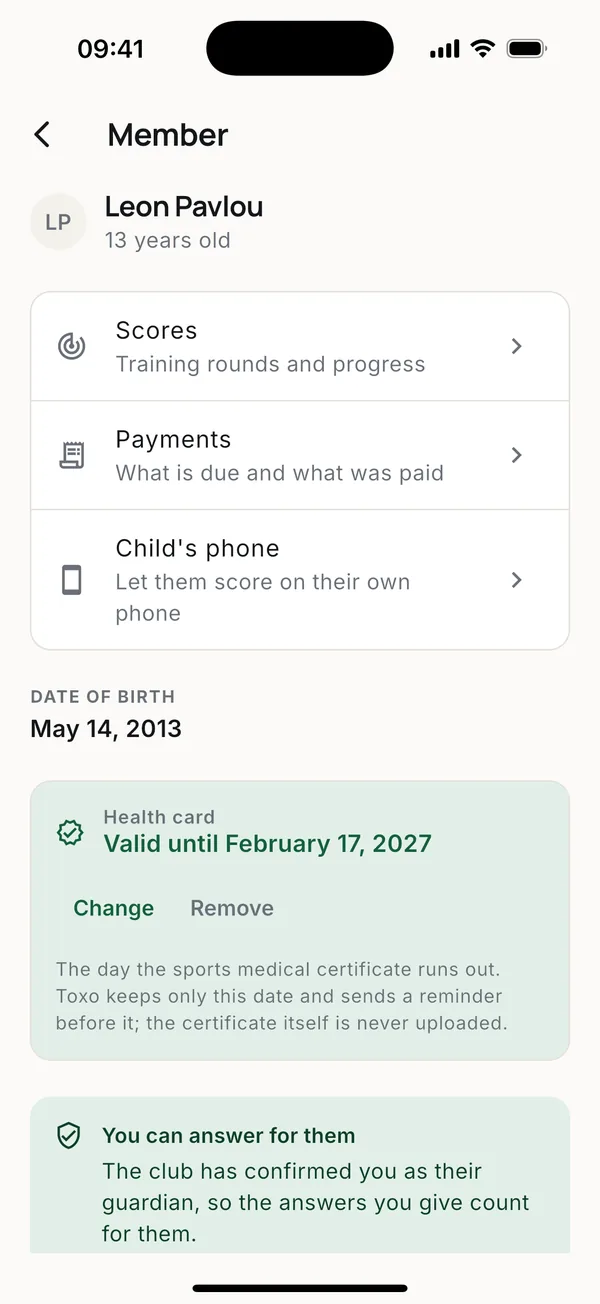
- Scores. Your child's rounds and progress. See Scores.
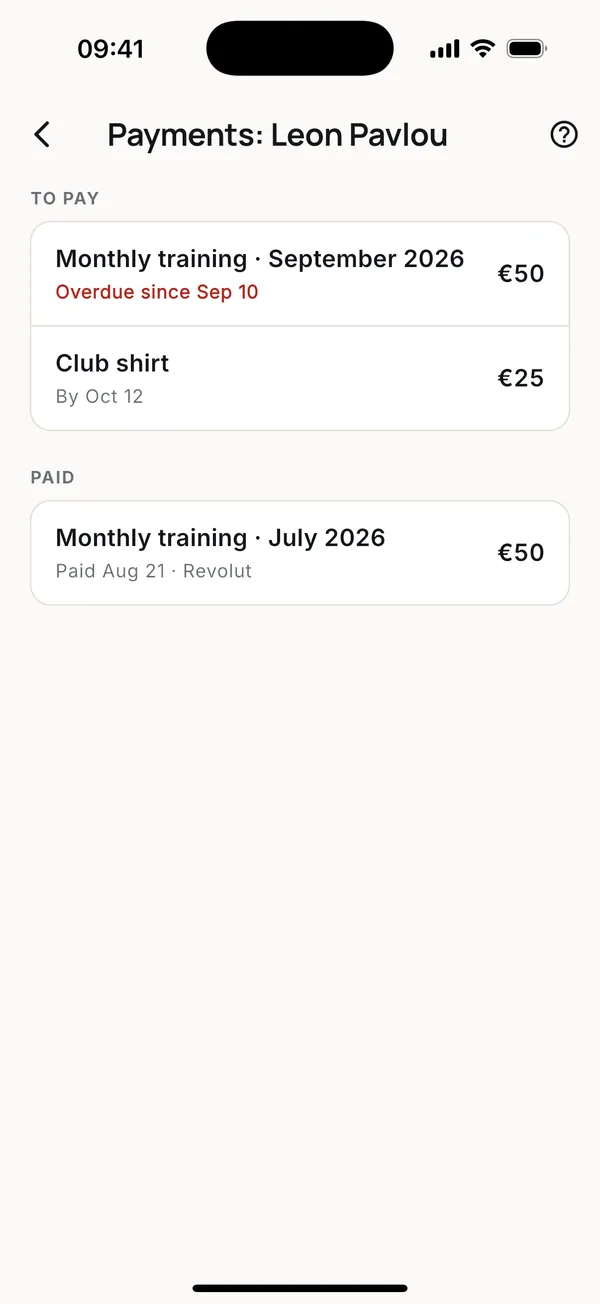
- Payments. What the club has charged, what is overdue and what was paid. You can't mark anything paid yourself; the club does that when it receives the money. See Payments.
- Child's phone. Let your child score on their own phone without an email or password. See Child's phone.
- Health card. The expiry date of the sports medical certificate. You get a reminder 90, 30 and 7 days before it runs out, and on the day. Toxo keeps only the date, never the certificate.
Good to know
- Toxo uses your phone's language, English or Greek. Emails and notifications follow it too.
- A parent who also shoots in the club finds My children in More, and Home shows their own training.
- You can delete your account in More > Profile.
More guides
AthletesHow athletes use Toxo.CoachesHow coaches use Toxo.Club ownersHow a club owner sets up Toxo.PaymentsHow club fees work in Toxo.Training groupsHow training groups work in Toxo.Child's phoneLet your child score rounds on their own phone in Toxo, without an email or password.ScoresHow scoring works in Toxo.
Questions? Write to [email protected]