Club messages and emails
A notification gets swiped away and an email sinks in the inbox. Club messages keeps what the club said in one place, so "what did they say about Saturday?" has an answer.
Sending a message
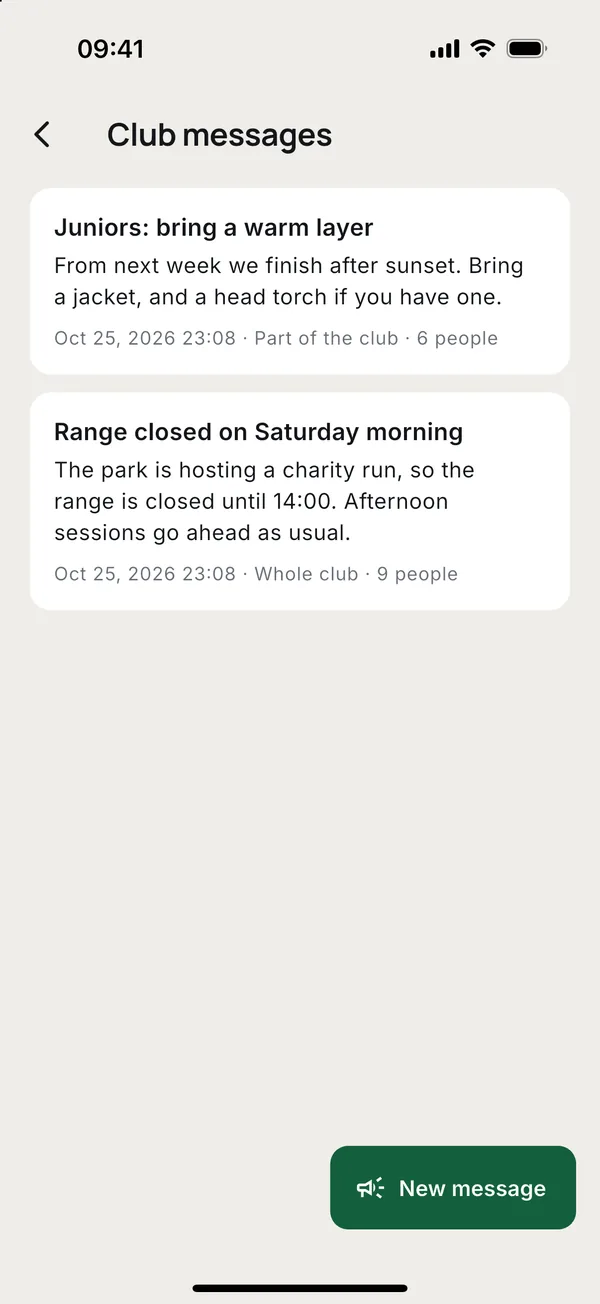
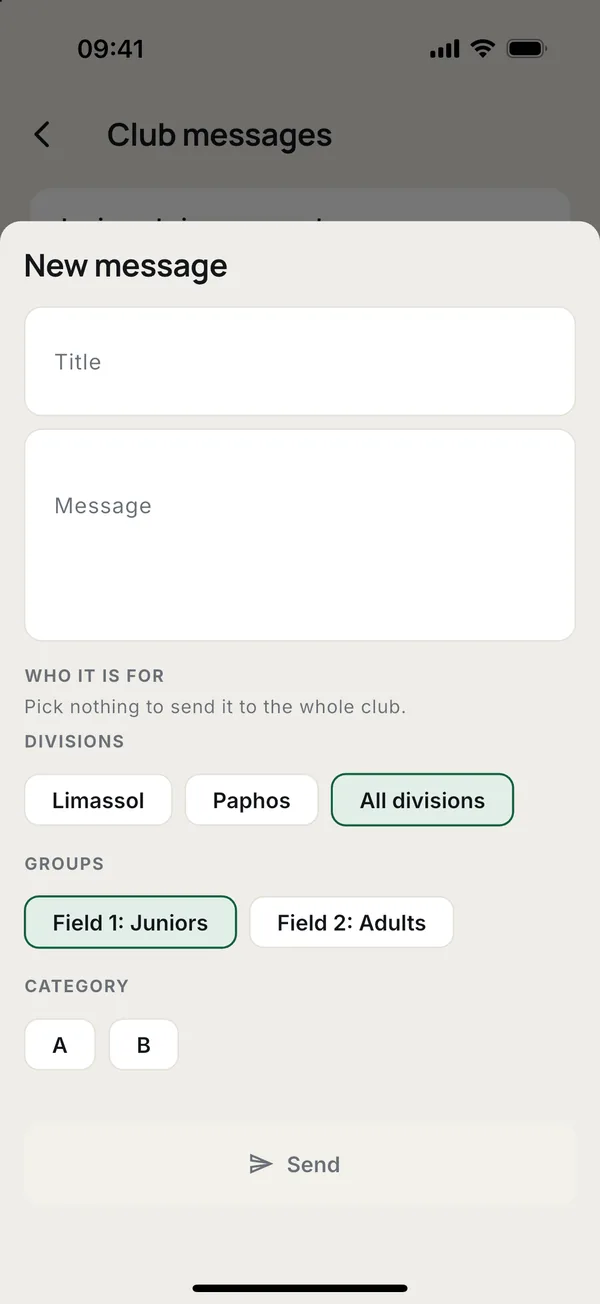
Coaches, managers and the owner send them.
- Open More > Club messages and tap New message.
- Write a Title and the Message.
- Under Who it is for, pick divisions, groups or a category. Pick nothing to send it to the whole club.
- Tap Send and confirm.
Everyone it is for gets a notification and an email, and so do the parents of the children among them. The message stays in Club messages. Staff see every message with who it went to; everyone else sees the ones meant for them or their children.
Emails the club sends
Toxo sends these on its own, in the language of the person's phone. Apart from invitations, each also comes as a notification.
- Invitations. The invite code, when the club sends it by email.
- New sessions. A new session or weekly schedule, to the people it is for and their parents. The coach who made it is left out.
- Changes. A cancelled, moved or restored session, or a schedule that changed or stopped. One email for a schedule, not one per session.
- Payments. A reminder 3 days before a charge is due, and one when it goes overdue. They go to the member and to a child's parents. Each is sent once.
- Health card. 90, 30 and 7 days before the card runs out, and on the day.
- Club messages. As above.
The reminders the day before a session and about three hours before come as notifications only, not emails. Inactive members get the training emails and club messages, but not competitions.
More guides
Questions? Write to [email protected]