
Cardiomate: Blood Pressure
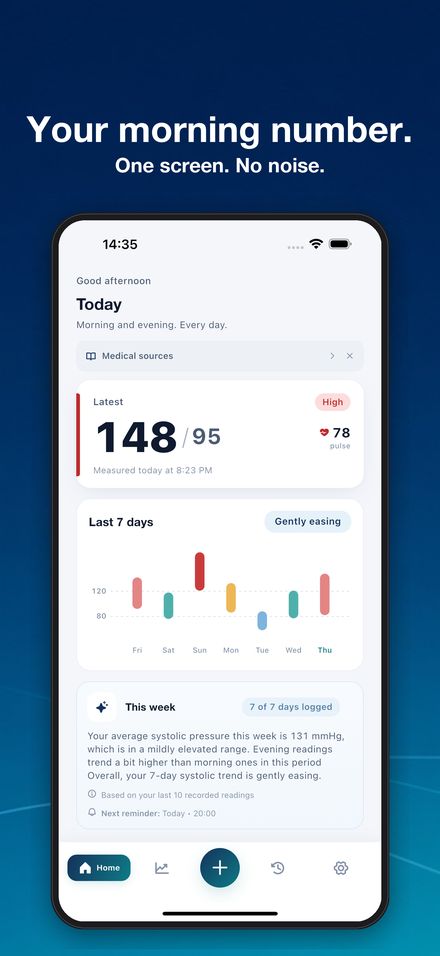
Cardiomate is a blood pressure log for people who measure at home with a cuff. Type in systolic, diastolic and pulse in about 30 seconds, see which American Heart Association (AHA) category the reading falls in, and follow the trend over a week or a month to show your doctor a clearer picture than a single number.
Free to download. No ads, no subscription. Optional Cardiomate Pro is a one-time purchase.

When to use Cardiomate.
Cardiomate is for adults who already take blood pressure readings with a home cuff, or a cuff or watch that writes to Apple Health or Health Connect, and want those readings kept, categorised and easy to show to a clinician.
- You measure every morning (or morning and evening) and want a quick place to log it.
- You want to know whether a reading is Normal, Elevated, Stage 1, Stage 2 or Crisis under AHA ranges.
- Your doctor asked you to keep a log before the next appointment.
- Your Bluetooth cuff or watch already saves readings to Apple Health or Health Connect and you do not want to retype them.
- You want to compare morning and evening readings, or see a 7- or 30-day trend instead of single numbers.
- You want a log without an account, ads or a subscription.
See it before you install.
What Cardiomate does.
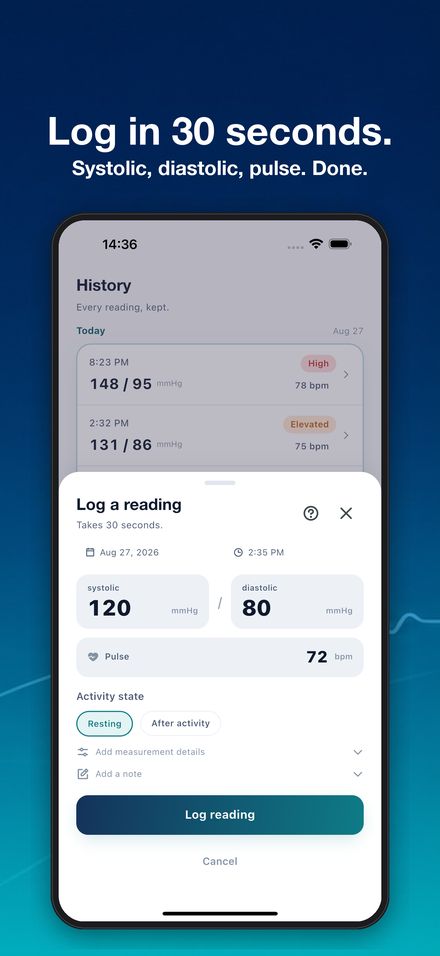
Log a reading in about 30 seconds
Systolic, diastolic and pulse on one sheet. Optional details: which arm, your position, and whether it was before or after medication, plus a note.
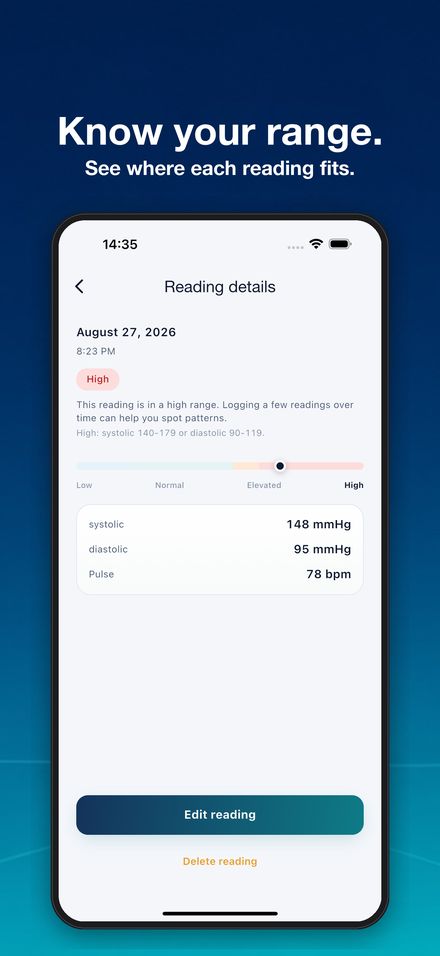
AHA category for every reading
Each entry is tagged Normal, Elevated, Stage 1, Stage 2 or Crisis using the American Heart Association guideline ranges.
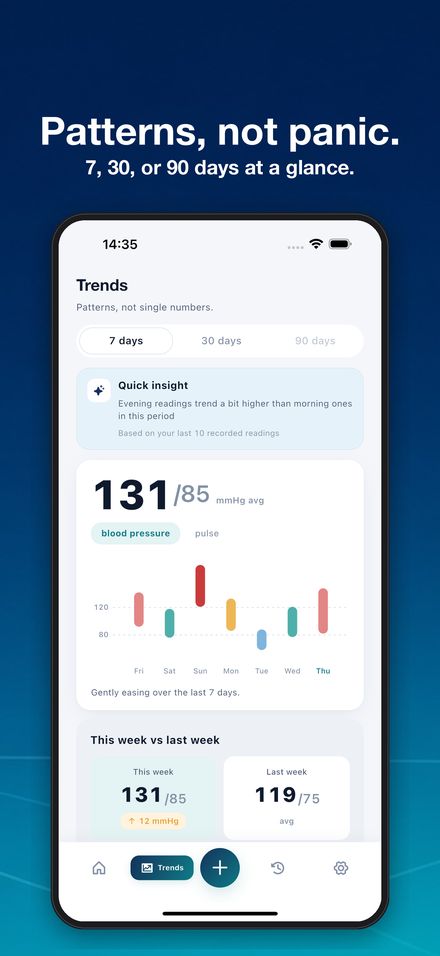
Trend band chart
A dual-line chart of systolic and diastolic bands for 7 or 30 days. Pro adds a 90-day view.
Apple Health and Health Connect sync
Two-way sync with reading and writing as separate switches. Readings from a cuff or watch arrive with the pulse it measured, so nothing has to be typed twice.
Clinical averages
Mean arterial pressure, pulse pressure, and your morning average next to your evening average.
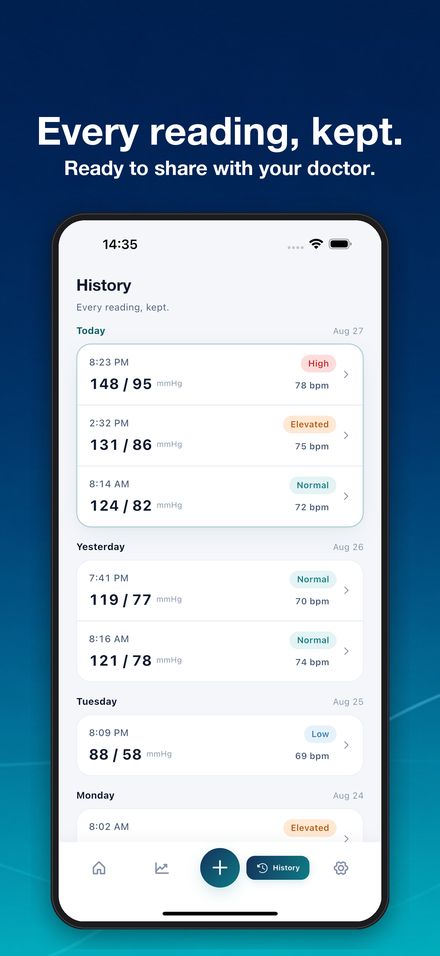
History and export
Every reading kept in a history list with its category. Export the full history to CSV; Pro adds a PDF formatted to hand to your doctor.
How to measure
A step-by-step guide to taking a reading, based on American Heart Association guidance.
Optional reminders
Morning and evening reminders, if you want them.
Works offline
Logging, charts and history work without a connection.
The facts, in one place.
- Platforms
- iPhone (App Store) and Android (Google Play)
- Price
- Free. No ads and no subscription. Cardiomate Pro is one payment that never renews; it adds the 90-day trend view and the PDF report. Google Play lists the in-app purchase at $4.99 (US).
- What is free
- Logging, AHA categories, 7- and 30-day trends, history, CSV export, Health sync, reminders, clinical averages.
- Account
- None. No sign-up.
- Languages
- English, Arabic, German, Greek, Spanish, French, Hindi, Indonesian, Japanese, Georgian, Portuguese, Russian, Turkish and Ukrainian.
- Store category
- Health & Fitness
- Publisher
- CodeEnsis Ltd (Cyprus)
Where your data goes.
Every reading you log, with its notes and context tags, is stored only on your phone; CodeEnsis never receives it. Cardiomate has no ads and no advertising SDK. It uses Firebase Analytics for anonymous usage statistics and Firebase Crashlytics for crash reports, and neither ever includes your readings. RevenueCat validates the one-time Pro purchase. Apple Health and Health Connect sync are off until you turn them on, with reading and writing as separate permissions.
Full details: Cardiomate Privacy Policy · Terms of Use · Support
The short version.
Is Cardiomate free?
Yes. Logging, AHA categories, 7- and 30-day trends, history, CSV export and Health sync are free, with no ads and no subscription. Cardiomate Pro is an optional one-time purchase that adds the 90-day trend view and a PDF report for your doctor.
Does Cardiomate measure blood pressure with the phone?
No. Cardiomate is a log. You take the reading with a blood pressure cuff and enter it, or let readings from a cuff or watch arrive through Apple Health or Health Connect. It is not a medical device and does not replace a monitor or a clinician.
Which blood pressure categories does it use?
The American Heart Association (AHA) guideline ranges: Normal, Elevated, Stage 1, Stage 2 and Crisis. Each reading in your history is tagged with its category.
Does it work with Apple Health, Health Connect and Bluetooth cuffs?
Yes. Cardiomate syncs both ways with Apple Health on iPhone and Health Connect on Android, with reading and writing as separate switches. Any cuff or watch whose app writes to Apple Health or Health Connect can feed it; the App Store listing names Withings, OMRON, Beurer and A&D as examples.
Where are my readings stored?
Only on your phone. They are never uploaded to CodeEnsis and never sold. There is no account. Anonymous usage and crash statistics never include your readings.
One reading. Every morning. Clear trends.
Log your readings, see the AHA category, and bring a clean chart to your next appointment. No account, no ads.
Cardiomate is not a medical device. It does not measure blood pressure, diagnose any condition, or replace a blood pressure monitor or a clinician. Categories follow the American Heart Association guideline ranges. Talk to your doctor about your readings.