Every mile, tax-ready.
DriveNote auto-detects every drive, sorts business from personal with a tap, and turns the year into an IRS-ready PDF. Built for rideshare, delivery, real estate, and self-employed drivers.
FEATURES
Built for the 1099 driver.
Every feature exists for one reason: when April comes, you have a paper trail that actually holds up.
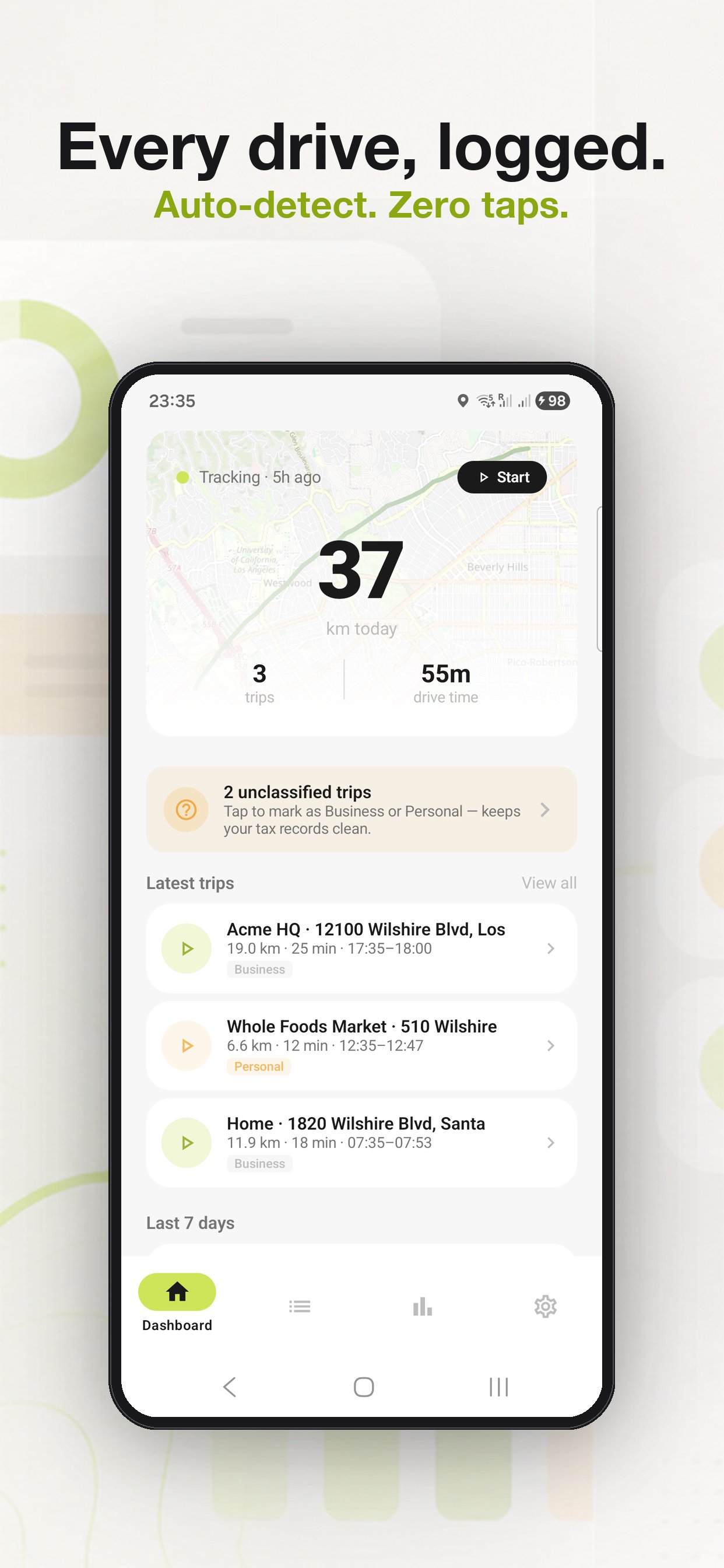
Auto trip detection
DriveNote starts and stops trips on its own - phone in your pocket, no buttons. Tuned for stop-and-go traffic and short hops.
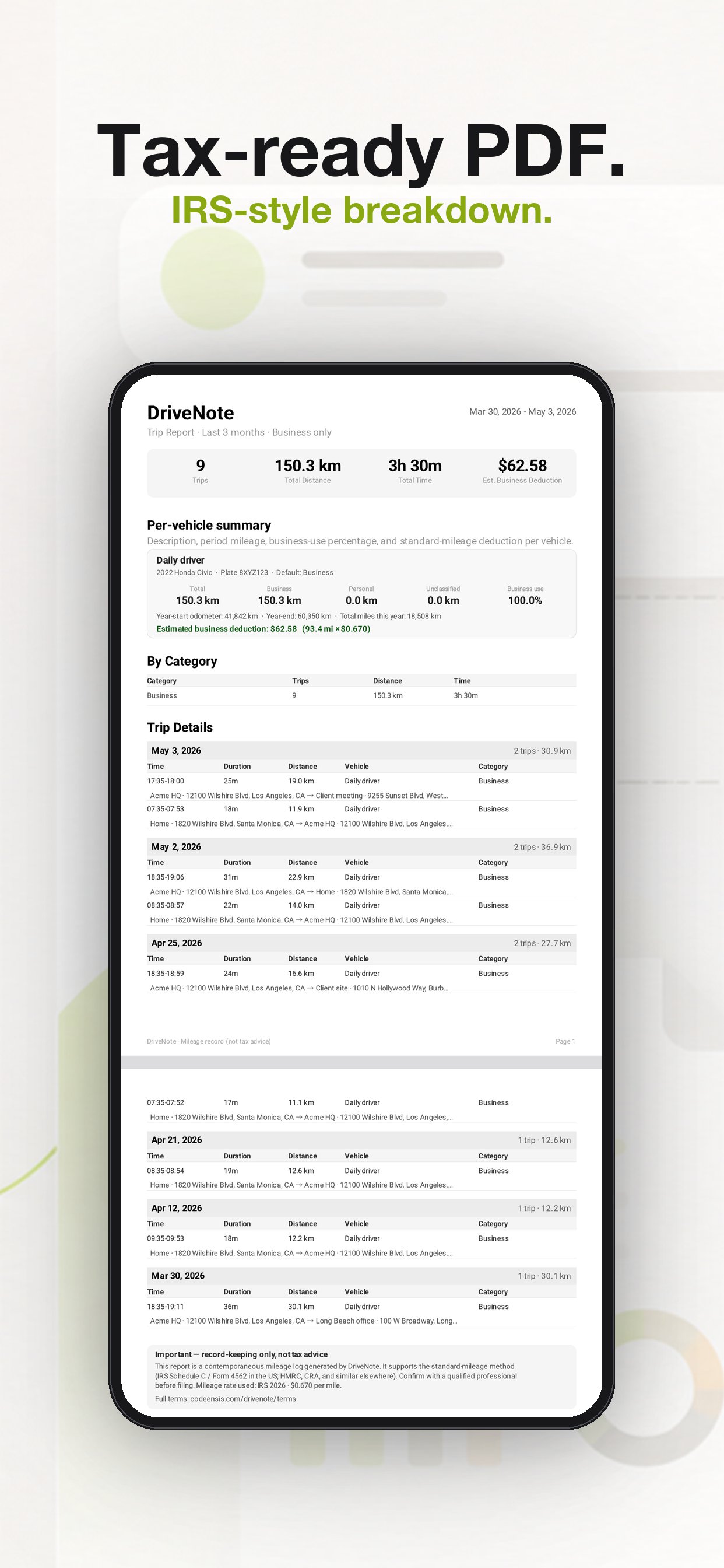
Tax-ready PDF
Per-vehicle business-use %, year-start and year-end odometer, IRS Schedule C / Form 4562-style breakdown. Hand it to your CPA.
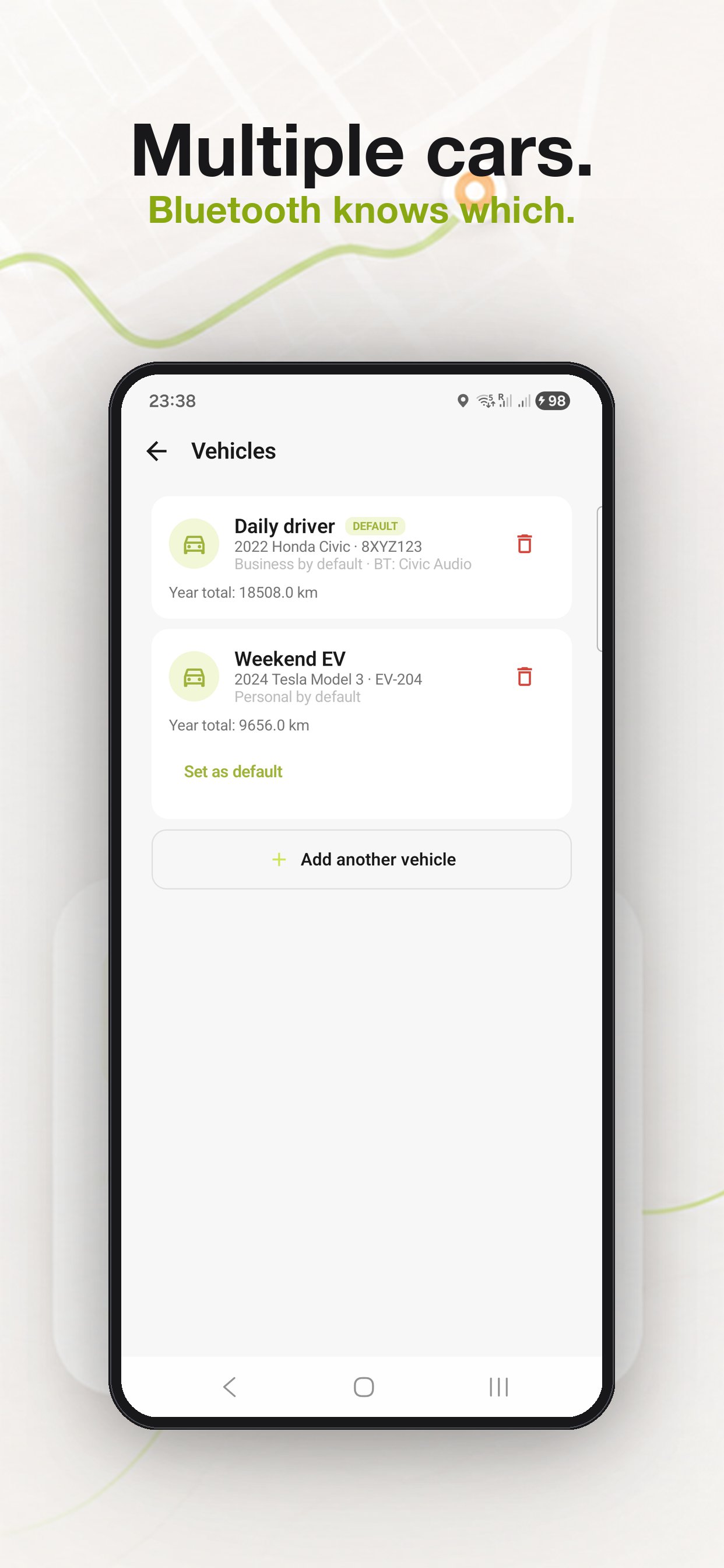
Multi-vehicle, Bluetooth pairing
Pair each car's stereo with its DriveNote vehicle once. After that, DriveNote knows which car you're driving the moment you start the engine.
Auto-classify Home / Office
Drop a Home and an Office pin. DriveNote tags trips between them as Personal or Business automatically - and applies a work-hours rule on top.
Free-text Note per trip
"Client lunch at Marco's", "Site visit - 1024 Main". A single line of context turns a row of mileage into an audit-defensible record.
PDF + Excel export
Tax-ready PDF for the IRS. Excel (.xlsx) with Summary + Trips sheets for your accountant. Both downloadable any time, any year.
HOW IT WORKS
Drive. Tap. Done.
DriveNote does the recording. You spend ten seconds a day classifying. April takes one tap.
Drive
Phone in pocket - DriveNote auto-starts, captures route + distance + time, and stops when you park.
Classify
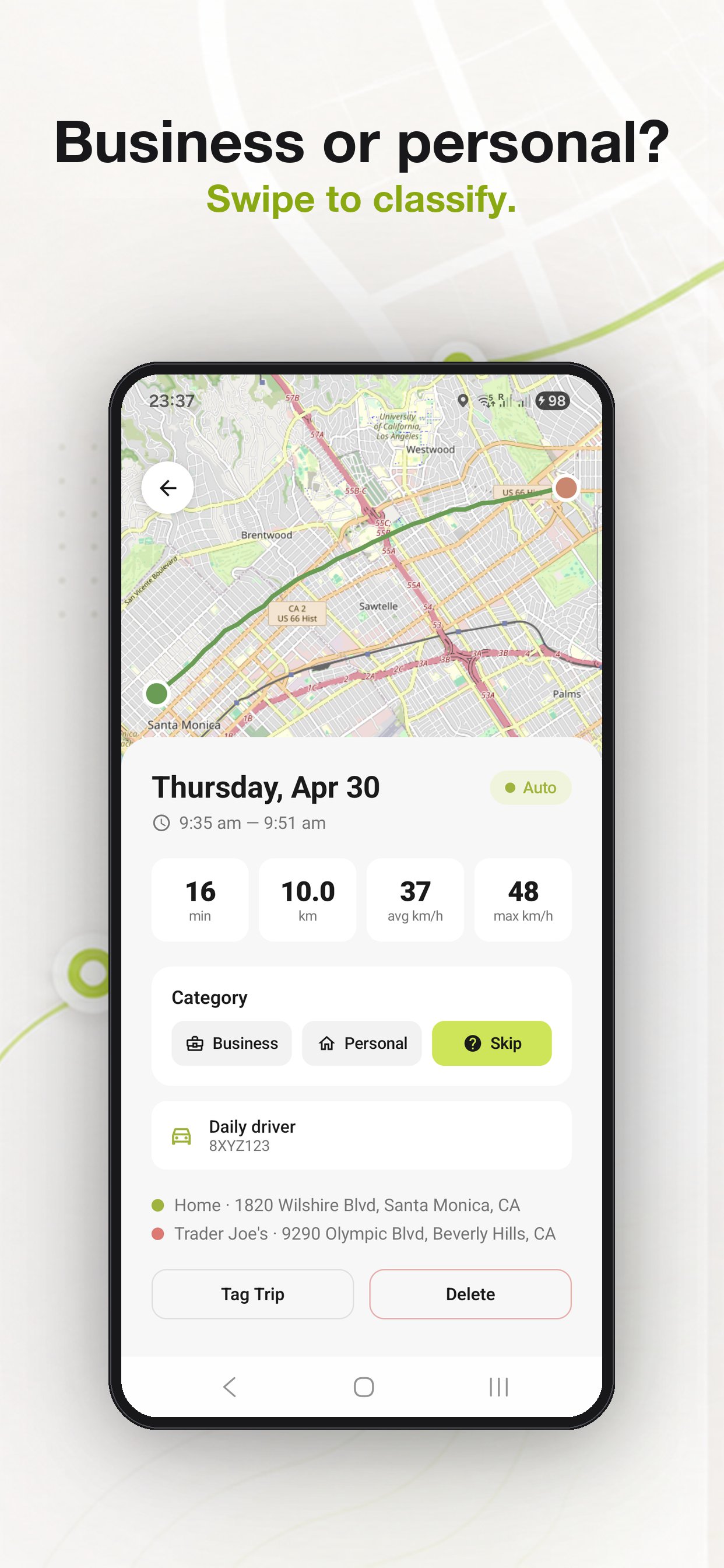
One tap: Business or Personal. Or skip - auto-classification handles Home/Office and work-hours rules.
Export
End of year, tap Export. Tax-ready PDF or Excel - per-vehicle, per-category, with the deduction math done.
MADE FOR
If you drive for work, you need this.
DriveNote is sized for the gig economy and the self-employed - not for fleet managers.
A LOOK INSIDE
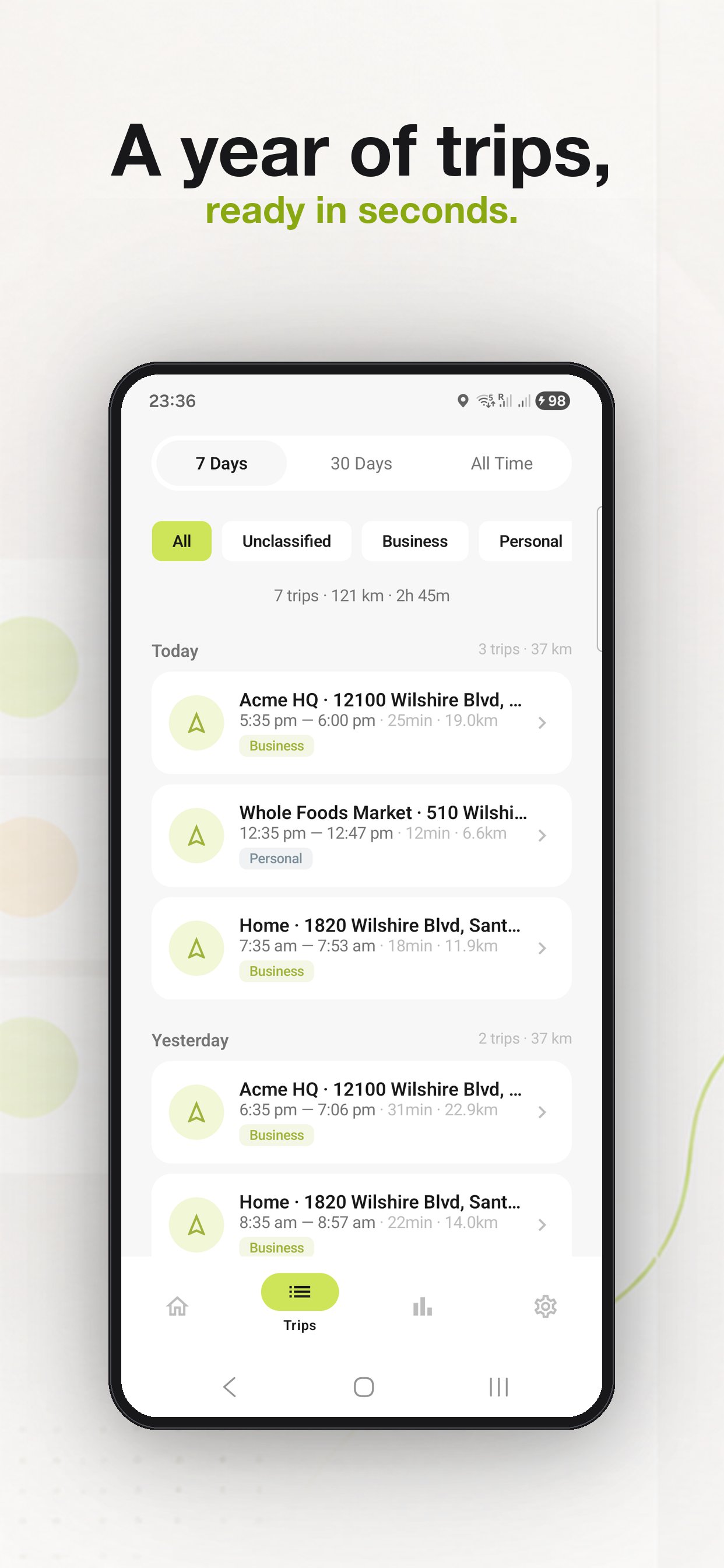
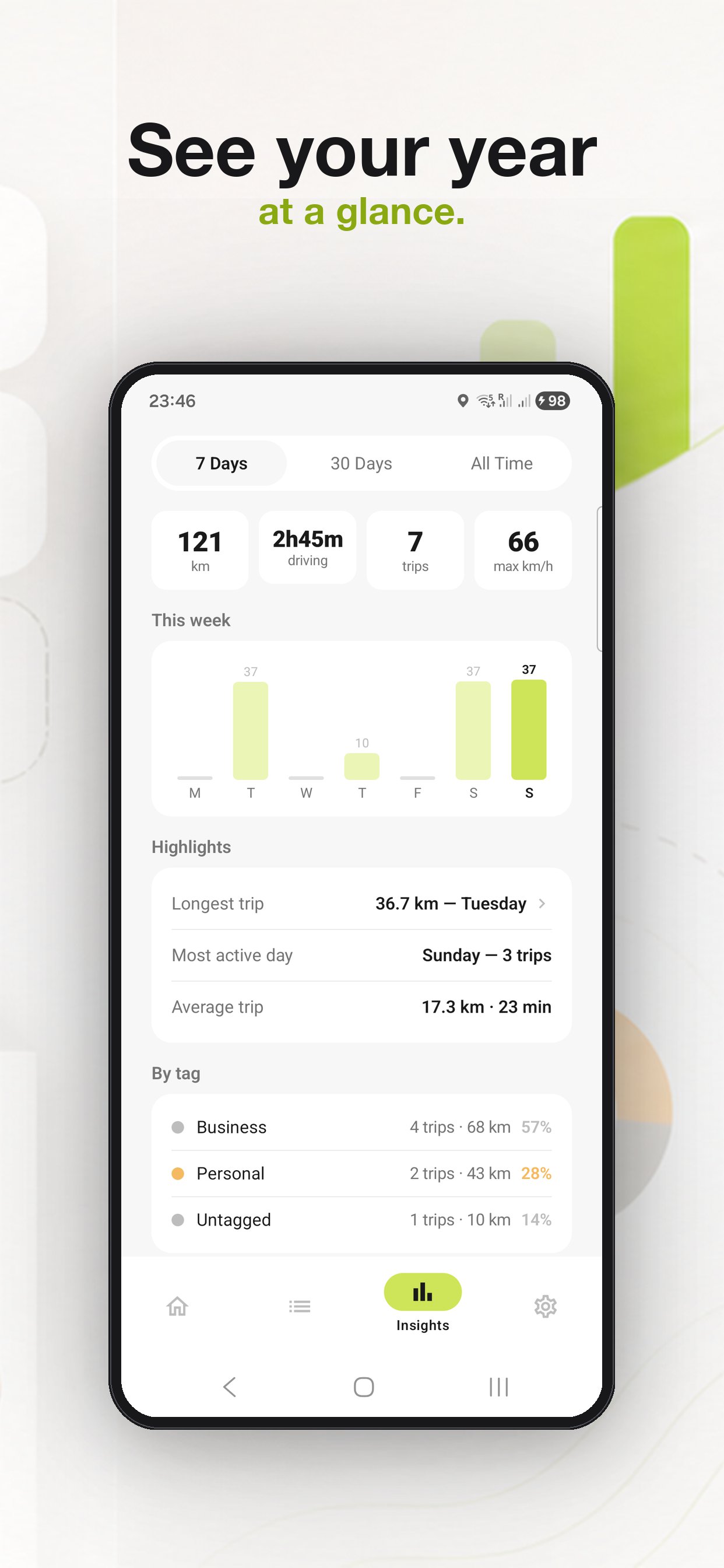
Clean. Quick. Tax-ready.
Big numbers, calm colors, no clutter. Designed so a 30-second classify session feels like nothing.
QUESTIONS
The short version.
Is DriveNote free?
Yes. Free on Android today. iOS in development. No subscriptions, no per-trip caps in the current version.
Does auto-detection drain the battery?
Detection runs at low power most of the time and only switches to full GPS when motion is confirmed. We also surface a one-tap battery-whitelist banner so the OS doesn't kill the recorder mid-trip.
Does the PDF actually meet IRS requirements?
DriveNote captures the four IRS-required fields per trip (date, miles, business purpose, destination). The annual PDF stacks them into a Schedule C / Form 4562-style summary. It's a record you and your CPA can defend - DriveNote itself is not tax advice.
What about my data?
Trips are stored on your device and synced to your private account on Firebase. No third-party data sharing. You can wipe everything and delete your account from inside the app.
Multi-vehicle - how does Bluetooth pairing work?
Pair each car's stereo with its DriveNote vehicle once in Settings. From then on, the moment your phone connects to a car's audio, DriveNote tags the next trip to that vehicle automatically.
Stop losing miles. Stop losing deductions.
Auto trip detection, IRS-ready PDF, Bluetooth multi-vehicle. Free on Android - iOS in development.